Best Cheap POS Systems for Small Restaurants


Operators Daily is where multi-unit restaurant and hourly-workforce operators get smart, fast — practical guides and no-nonsense software comparisons across hiring, onboarding, scheduling, payroll, and compliance.
Popular articles
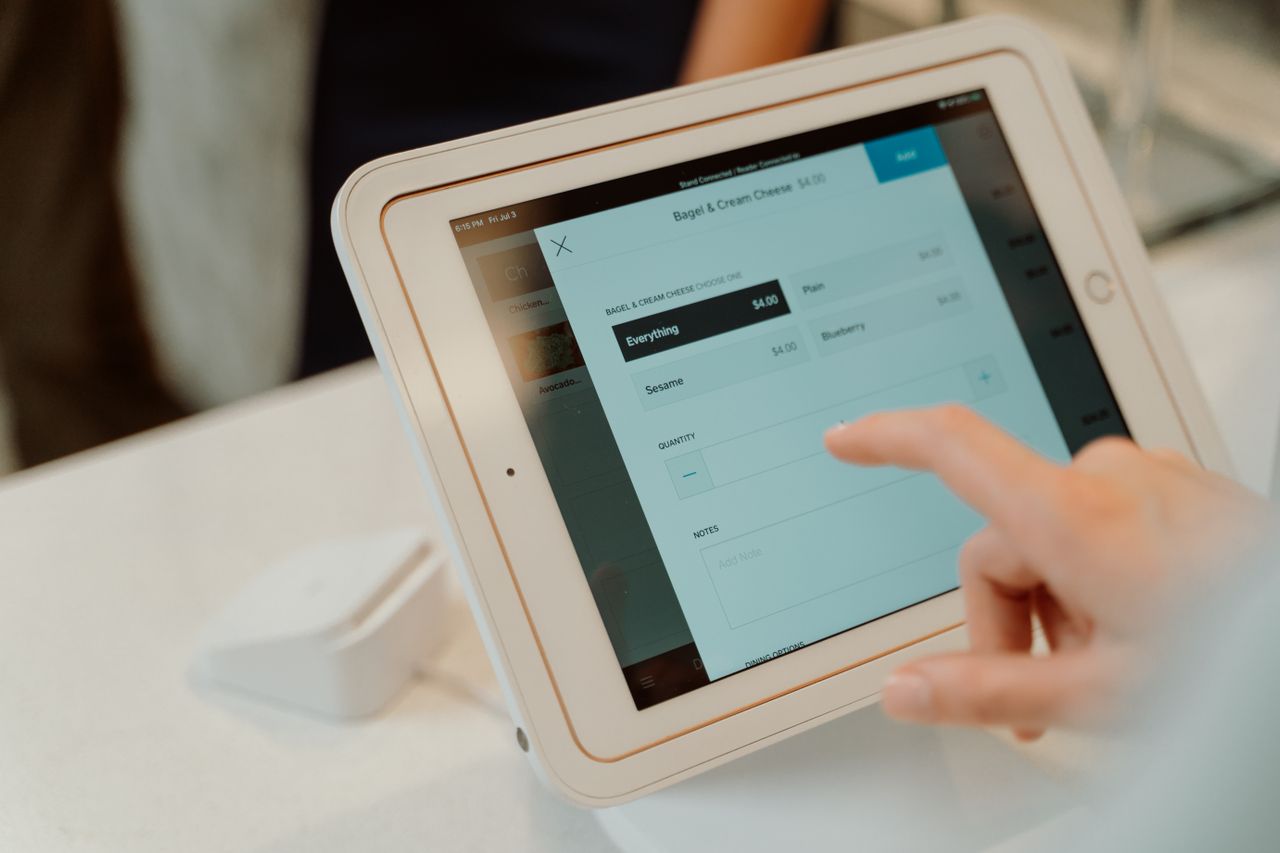
Running a small restaurant on a tight budget does not mean you have to sacrifice essential technology. Today's affordable point-of-sale systems deliver features that were once reserved for enterprise chains, with monthly software costs ranging from $0 to roughly $150. Finding the right system requires balancing upfront costs, processing fees, contract terms, and the features your operation actually needs. At Operators Daily, we help restaurant owners evaluate technology decisions with practical, evidence-based guidance.
This guide breaks down the best cheap POS systems for small restaurants, comparing published pricing, processing rates, included features, and total cost of ownership so you can make an informed decision without overspending.
Key Takeaways
- Square for Restaurants, Toast's Starter Kit, and SpotOn's All-In plan all advertise $0 monthly software, though each recovers that cost elsewhere.
- Even "free" systems charge transaction fees, typically in the 2.4% to 3.7% range plus a per-transaction amount, which adds up quickly at volume.
- Toast's Pay-as-you-Go Starter Kit and SpotOn's All-In plan both carry two-year minimum terms.
- Tablet-based systems let you use existing devices, while restaurant-grade terminals require upfront investment or a processing commitment.
- Online ordering, marketing, loyalty, scheduling, and advanced inventory are frequently separate products rather than base-plan features.
- General retail POS systems often lack table management, coursing, and kitchen display integration that restaurants need.
What is a Cheap POS System for Small Restaurants?
A cheap POS system for small restaurants is a point-of-sale platform that handles order processing, payments, and basic operational tasks at a monthly cost under $100, or with no monthly software fee at all. These systems typically run on tablets or compact terminals rather than expensive proprietary hardware.
Defining "Cheap" for Your Restaurant
"Cheap" in the POS world means different things depending on your business model. For this guide, we define affordable systems as those meeting at least one of these criteria:
- Monthly software fees under $100
- A free tier with no subscription costs
- Hardware costs under $500 to get started
- Transparent, competitive processing rates
The true cost of a POS system includes software subscriptions, hardware purchases or leases, payment processing fees, and any add-on modules you need. A system advertising "$0/month" may still cost hundreds in processing fees each month, depending on your transaction volume.
Core Features to Expect from Affordable POS
Even budget-friendly POS systems should include:
- Order entry and modification: Quick item selection, modifiers, and special requests
- Payment processing: Credit cards, debit cards, and contactless payments
- Basic reporting: Daily sales summaries, item performance, and labor data
- Receipt printing or digital receipts: Customer communication and record-keeping
- Menu management: Add, edit, and organize menu items without IT support
Understanding POS System Pricing Models
Restaurant POS systems typically follow one of three pricing structures:
- Subscription-based: Fixed monthly fee (for example, $69/month) with separate payment processing
- Transaction-based: No monthly software fee, but higher per-transaction rates
- Hybrid: Lower monthly fee combined with more competitive processing rates
The best choice depends on your sales volume. Higher-volume restaurants often save money with subscription models and lower processing rates, while low-volume operations benefit from avoiding monthly fees entirely.
Why Your Small Restaurant Needs an Affordable POS System
Even the most budget-conscious restaurant benefits from a proper POS system. Manual order-taking and cash registers create bottlenecks, increase errors, and limit your ability to understand what is actually selling.
Boosting Efficiency Without High Costs
A POS system speeds up every transaction. Servers enter orders directly into the system, which sends them instantly to the kitchen. This eliminates handwriting confusion, reduces order errors, and gets food to tables faster.
Modern affordable POS platforms also integrate with scheduling software and payroll systems, creating a connected operation where data flows automatically between tools. This integration reduces manual data entry and the errors that come with it.
Improving Customer Service on a Budget
Faster order processing means shorter wait times. Table management features help hosts seat guests efficiently and give servers visibility into which tables need attention. Split-check capabilities make group dining easier, improving the guest experience without adding staff.
Gaining Insights with Basic Reporting
Even entry-level POS systems provide sales data that manual methods cannot match. You can see which menu items sell best, which shifts generate the most revenue, and how individual servers perform. These insights help you make better decisions about menu pricing, staffing levels, and inventory orders.
Key Features to Look for in Cheap Restaurant POS Software
Not all POS features are created equal for restaurant operations. When evaluating affordable options, prioritize these capabilities.
Essential Order and Table Management Tools
Restaurant-specific POS systems include features that general retail systems lack:
- Table mapping: Visual floor plan showing table status and assignments
- Course timing: Ability to fire courses separately and pace service
- Order modifications: Easy handling of special requests, substitutions, and allergies
- Split checks: Divide bills by seat, item, or custom amounts
- Tab management: Keep bar tabs open and transfer between stations
Streamlined Payment Integrations
Payment processing is where many "cheap" systems make their money. Look for:
- Transparent processing rates: Clear per-transaction fees without hidden charges
- Multiple payment types: Credit, debit, contactless, and mobile wallets
- Tip management: Easy tip entry and tip pooling calculations
- Offline mode: Ability to process payments during internet outages
Square's Restaurant Free plan currently processes in-person payments at 2.6% plus $0.15 per tap, dip, or swipe transaction, which serves as a useful benchmark when comparing processing costs.
Basic Inventory and Staff Oversight
While advanced inventory management often requires paid add-ons, basic tracking should be included:
- Item-level tracking: See what sold and calculate theoretical usage
- Low-stock alerts: Notifications when popular items run low
- Employee clock-in/out: Basic time tracking for labor cost monitoring
- Role-based permissions: Control what each staff member can access
For more comprehensive workforce management, explore our guide on onboarding software for hourly teams.
Comparing the Cheapest Restaurant POS Systems
We evaluated these platforms based on published subscription pricing, card-present processing rates, contract requirements, included versus add-on features, hardware costs, and restaurant-specific functionality. Here are the top options for small restaurant operators.
1. Square for Restaurants
Best for: New restaurants, food trucks, and single-location operations with tight budgets
Square for Restaurants offers one of the most accessible entry points for budget-conscious operators. The free plan includes core restaurant POS functionality with no monthly subscription and no long-term contract, with revenue generated through payment processing.
Key Features
- Tableside ordering with Square handheld devices
- Table management and floor plan tools on the free plan
- Offline mode that can accept payments for up to 24 hours on supported hardware, with transactions uploaded by the stated deadline
- Automatic menu syncing across in-person and online channels
- Optional loyalty and marketing capabilities available on higher-tier plans and through Square's broader software ecosystem
Price
$0 per month for Square Free or $49 per month per location for Square Plus, with Premium at $149 per month per location. In-person processing is 2.6% + $0.15 on Free, 2.5% + $0.15 on Plus, and 2.4% + $0.15 on Premium.
Strengths
- True $0 monthly option with no long-term commitment
- Transparent, published subscription and processing pricing
- Extensive ecosystem including payroll, scheduling, and marketing
- Easy setup with minimal technical knowledge required
Limitations
- Locked to Square Payments, with no processor flexibility
- Processing fees can add up for higher-volume restaurants
- Some advanced features, including coursing and loyalty, require paid tiers
- Hardware is sold separately, though you can use your own iPad
2. Toast Starter Kit
Best for: Full-service restaurants wanting restaurant-grade hardware without upfront costs
Toast takes a different approach to "free" by including hardware in its Pay-as-you-Go Starter Kit at no upfront cost. The advertised $0 configuration includes one terminal; additional terminals are available for an extra charge, and the arrangement shifts cost into a higher card-processing rate.
Key Features
- Purpose-built restaurant hardware at no upfront payment in the starting configuration
- Kitchen display system integration
- Coursing, auto-gratuity, and table management built for full service
- Comprehensive reporting and analytics
- 24/7/365 customer support included with software subscriptions
- Optional integrated online ordering and delivery tools available as Toast add-ons
Price
$0 per month for the Starter Kit under Pay-as-you-Go terms, or from $69 per month for the standard Point of Sale plan. Toast's shop lists card processing at 3.09% under Pay-as-you-Go versus 2.49% under its traditional pricing arrangement, and discloses a two-year software agreement.
Strengths
- Restaurant-specific features rather than adapted retail functionality
- Durable hardware designed for food service environments
- No upfront hardware investment required in the starting configuration
- Round-the-clock support included
Limitations
- Higher processing rate on the $0 Pay-as-you-Go option
- Two-year software agreement on the Starter Kit
- Only one terminal at the advertised $0 configuration
- Online ordering and delivery are separately priced add-ons
- Locked to Toast's payment processing, and hardware is not portable to another provider
3. Clover
Best for: Restaurants wanting flexible hardware options and bank partnership pricing
Clover offers one of the most versatile hardware lineups in the POS market, ranging from compact handheld devices to full countertop stations and kiosks. Its App Market carries hundreds of business-management apps for customizing a setup.
Key Features
- Multiple hardware formats including Flex, Mini, Station Solo, Station Duo, Kiosk, and KDS
- Extensive third-party app marketplace
- Table management and order modifications
- Inventory tracking with low-stock alerts
- Gift card and loyalty program support
Price
Pricing varies by reseller and merchant services provider, so confirm the total configured cost, including hardware and processing rates, with your specific Clover reseller or bank partner.
Strengths
- Wide range of hardware choices for different restaurant formats
- Often available through local banks with competitive rates
- Strong app ecosystem for customization
- Reliable hardware with good build quality
Limitations
- Pricing varies significantly depending on reseller
- Processing rates are not consistently published
- Some features require additional app purchases
4. TouchBistro
Best for: iPad-focused restaurants wanting a simple, intuitive interface
TouchBistro is an iPad-based POS designed specifically for restaurants. The interface emphasizes ease of use, making it a strong choice for operators who want quick staff training and straightforward daily operation.
Key Features
- Native iPad app with intuitive design
- Table management with visual floor plans
- Menu management with modifiers and variants
- Staff management and employee permissions
- Tableside ordering
- Detailed sales reporting
Price
Starting at $69 per month for POS software. Hardware, payment processing, and additional fees apply. Labor Management, which covers employee scheduling, is a separate add-on product.
Strengths
- Clean, easy-to-learn interface
- Strong table management capabilities
- Runs on standard iPads, letting you use existing devices
- 24/7 support by phone and email, including holidays, at no additional cost
Limitations
- Online ordering is a paid add-on
- Scheduling requires the separate Labor Management product
- Fewer integrations than Square or Toast
5. Lightspeed Restaurant
Best for: Growing restaurants needing deeper inventory and analytics
Lightspeed Restaurant positions itself between budget and enterprise tiers, offering more sophisticated inventory management and reporting than most entry-level options while remaining accessible to smaller operations.
Key Features
- Ingredient-level stock, recipes, purchase orders, suppliers, and stock counts
- Detailed analytics and custom reporting
- Online ordering capabilities
- Multi-location support for expanding restaurants
- Open API for custom integrations
Price
Starter starts at $69 per month, with Essential at $189 per month and Premium at $399 per month. Advanced Inventory is listed as an add-on option on plans where it is not included, so request the total configured price.
Strengths
- Among the strongest inventory features in this price range
- Scalable for multi-location growth
- Good integration options with accounting and delivery platforms
- Published, tiered pricing
Limitations
- Higher entry price than the $0 options in this guide
- Advanced inventory may require an additional module depending on the plan
- Feature depth may exceed what a single-location restaurant needs
- Steeper learning curve than simpler alternatives
6. Rezku
Best for: Budget-conscious restaurants wanting broad features from a smaller vendor
Rezku packs restaurant-specific features into a mid-range package aimed at small to mid-sized restaurants that want functionality without enterprise pricing.
Key Features
- Table management with floor plan customization
- Branded online ordering
- Kitchen display system support
- Ingredient-level inventory
- Employee time management
- Delivery management
Price
Basic starts at $99 per month, covering up to three POS stations, with hardware listed separately at $19 per month per POS station under current promotional terms.
Strengths
- Broad feature set included in the base plan
- Restaurant-specific design
- Online ordering included rather than sold as an add-on
- Published pricing with clear station limits
Limitations
- Smaller company with less brand recognition
- Support resources less extensive than major players
- Fewer third-party integrations
- Hardware fees apply on top of the subscription
7. SpotOn
Best for: Restaurants that want a $0 software option with included 24/7 support
SpotOn publishes restaurant POS pricing at both a $0 and a low monthly tier, with 24/7 support included. Marketing, loyalty, and online ordering are available within the SpotOn ecosystem but can involve separate software charges.
Key Features
- Ordering, payments, table layouts, and menu management
- Reporting tools
- 24/7 support included
- Customer analytics
- Optional online ordering, delivery integrations, and marketing tools sold separately
Price
All-In is $0 per station per month with card-present processing at 2.79% + $0.20, subject to processing minimums and a two-year minimum term. POS Essentials is $55 per station per month with card-present processing at 2.45% + $0.15 except American Express, plus hardware and implementation costs. A custom-priced option is available for larger configurations. SpotOn's dedicated online ordering product is currently $55 per month per location, with certain delivery integrations at an additional $25 per month each.
Strengths
- Published pricing at both a $0 and a $55 tier
- 24/7 support included
- Lower processing rate available on the paid tier
- Restaurant-specific ordering and table tools
Limitations
- Two-year minimum term and processing minimums on the All-In plan
- Online ordering, delivery integrations, and marketing are separately priced
- Hardware and implementation costs are additional on POS Essentials
8. Lavu
Best for: iPad-based restaurants that already own Apple tablets
Lavu is an iPad-based POS that has served the restaurant market since 2010, offering a mature platform with a bring-your-own-device approach to hardware.
Key Features
- iPad-based system using your own devices
- Table management and floor plans
- Inventory tracking
- Happy hour and timed pricing
- Kitchen display system support
- 24/7 customer support
Price
Custom quote required. Pricing varies by POS configuration, number of devices, and whether Lavu's Marty analytics product is activated. Lavu's separate $49-per-month Insights plan is a Marty analytics product that the company says works with any POS, so it is not a POS subscription price.
Strengths
- BYOD approach reduces hardware costs
- Established platform with years of restaurant experience
- 24/7 support included
- Simple interface for quick training
Limitations
- POS pricing is not published and requires a quote
- Online ordering typically requires add-ons
- Interface feels dated compared to newer competitors
Hardware Considerations for Cheap Restaurant POS Systems
Software costs tell only part of the story. Hardware can add hundreds or thousands to your initial investment, or cost almost nothing if you leverage existing devices.
Affordable Hardware Setups
The cheapest hardware approach uses tablets you already own:
- iPad-based systems: Square, TouchBistro, and Lavu all run on standard iPads
- Android options: Some systems support Android tablets, which typically cost less than iPads
- Smartphone acceptance: Square and others offer card readers that pair with smartphones
A basic tablet setup might include:
- iPad or compatible tablet: 300-500, or use an existing device
- Card reader: 0-50, often provided at low or no cost by the provider
- Receipt printer: 150-300
- Cash drawer: 50-100
- Tablet stand: 50-150
Total minimum investment: Under $200 if you already have a tablet, or roughly 500-800 for a complete setup.
Mobile POS for Flexible Operations
Mobile POS devices let servers take orders and payments tableside. This speeds service, reduces errors, and improves the guest experience. Systems like Square offer handheld devices specifically for tableside ordering.
Benefits of mobile POS include:
- Faster table turns from tableside checkout
- Reduced order errors with no transcription from paper
- Line-busting during peak hours
- Flexibility for outdoor seating, events, and food trucks
Leveraging Existing Devices
Before buying new hardware, check what you already have:
- iPads or tablets: Most systems support recent iPad models
- Smartphones: Can serve as backup payment terminals
- Laptops: Often work for back-office reporting and menu management
- Receipt printers: Many systems support standard models you may already own
Evaluating Free POS Systems: What Is the Catch?
Free POS systems are not charity. Providers offering $0 monthly plans make money through other channels, and understanding these trade-offs helps you evaluate true costs.
Understanding "Free" in POS Solutions
Free POS plans typically compensate through:
- Higher processing fees: You may pay more per transaction than subscription customers
- Limited features: Advanced capabilities require paid upgrades or separate products
- Contract commitments: Some $0 offers carry multi-year minimum terms
- Hardware subsidies recovered over time: Free equipment is paid for through processing
For example, Square's free plan includes core POS features, while the Plus plan at $49 per month per location adds capabilities and a lower processing rate.
Feature Gaps in Free Tiers
Common limitations in free POS plans:
- Advanced reporting: Limited historical data and custom reports
- Loyalty and marketing: Frequently reserved for paid plans or separate products
- Online ordering: Often a separately priced add-on
- Limited support: Some providers restrict channels or hours on free tiers
- Fewer integrations: May not connect with accounting or delivery apps at the base tier
When to Consider Paid Upgrades
Moving to a paid plan often makes sense when:
- Your transaction volume makes higher processing fees expensive
- You need features like coursing, advanced inventory, or loyalty programs
- Multiple locations require centralized management
- Integration with other business systems is necessary
Calculate your monthly processing costs at current volume and compare against subscription pricing to find the break-even point. On a paid tier with a lower rate, the subscription can pay for itself once card volume is high enough.
How to Choose the Best Cheap POS System for Your Specific Restaurant
The right POS depends on your restaurant type, volume, staff, and growth plans. Here is how to narrow down your options.
Matching POS to Your Restaurant Concept
Different restaurant formats have different needs:
Quick service and food trucks:
- Prioritize speed and simplicity
- Mobile capability essential
- Square for Restaurants often fits well
Full-service restaurants:
- Table management and coursing matter
- Toast or TouchBistro offer restaurant-specific depth
- Consider kitchen display integration
Bars and nightclubs:
- Tab management is critical
- Speed of service during rush periods
- Pre-authorization for open tabs
Cafes and coffee shops:
- Quick transactions and line busting
- Loyalty programs drive repeat visits
- Simple menu management
Assessing Your Growth Potential
Think beyond your current needs:
- Single location for the foreseeable future? Free or basic plans may suffice
- Planning to expand? Choose systems with multi-location support
- Seasonal business? Watch for multi-year minimum terms during slow periods
- Franchising goals? Enterprise features become important
Our workforce management guide covers similar considerations for choosing scalable operational tools.
Prioritizing Support and Integrations
Consider what happens when things go wrong:
- 24/7 support: Toast, TouchBistro, SpotOn, and Lavu all currently advertise round-the-clock support
- Integration needs: Does your accounting software connect?
- Training resources: Are online documentation, videos, and live training available?
- Update frequency: Is the platform actively developed?
Training Your Staff on a New Cheap POS System
Even the best POS system fails if your staff cannot use it effectively. Budget time and resources for proper training.
Simplifying Staff Training
Start with the basics everyone needs:
- Clocking in and out: Ensure accurate time tracking from day one
- Basic order entry: Menu navigation, modifiers, and special requests
- Payment processing: Card transactions, cash handling, tip entry
- Voiding and comping: When allowed and how to do it properly
- End-of-shift procedures: Closing out, tip reporting, cash reconciliation
Utilizing Vendor Resources
Most POS vendors provide free training materials:
- Video tutorials: Watch on-demand during slow periods
- Knowledge bases: Searchable help articles for specific questions
- Webinars: Live training sessions for new features
- In-app guides: Contextual help within the system
Toast includes 24/7/365 support with its software subscriptions, which can supplement training when staff encounter unfamiliar situations.
Ensuring Smooth Transition
Tips for switching POS systems:
- Run parallel systems: Keep the old system available during transition
- Start with one shift: Test with experienced staff before full rollout
- Document house procedures: Create quick-reference guides for common tasks
- Designate super users: Train a few staff members deeply to help others
- Plan for mistakes: Build extra time into service during the learning period
For related guidance, see our restaurant onboarding guide.
Future-Proofing Your Restaurant with an Affordable POS System
A cheap POS today should not become an expensive limitation tomorrow. Consider long-term factors when making your choice.
Choosing a Scalable Solution
Look for systems that grow with you:
- User and location limits: Can you add terminals and locations without switching?
- Feature tiers: Are advanced features available when you need them?
- API access: Can developers build custom integrations?
- Data portability: Can you export your data if you switch systems?
The Importance of Cloud-Based Systems
Cloud-based POS systems offer advantages that on-premise solutions cannot match:
- Automatic updates: New features and security patches without IT involvement
- Remote access: Check sales and manage menus from anywhere
- Data backup: No risk of losing data to local hardware failure
- Multi-device sync: Changes propagate across terminals
All systems in this guide are cloud-based, reflecting the industry standard for modern restaurant POS.
Considering Long-Term Value Over Initial Cost
The cheapest option upfront is not always the best value over time. Consider:
- Processing fee differences: Even small rate gaps add up at volume
- Feature unlock costs: Will you need add-on modules for ordering, marketing, or inventory?
- Contract terms: Can you leave without penalty if the system does not work out?
- Training investment: Staff familiarity has value when weighing switching costs
A system costing $20 more per month but saving hours of workarounds may be the better investment.
For comprehensive guidance on building your restaurant technology foundation, visit Operators Daily for additional resources covering scheduling, onboarding, and workforce management platforms.
Frequently Asked Questions
What are the absolute minimum features I need in a cheap restaurant POS?
At minimum, you need order entry with modifiers, payment processing for cards and cash, basic sales reporting, receipt printing, and menu management. Table management is essential for full-service restaurants but optional for quick service. The free plans from Square and Toast include these basics.
Can I really get a good POS system for my small restaurant for free?
Yes, but "free" means no monthly software fee, not zero cost. Square for Restaurants, Toast's Starter Kit, and SpotOn's All-In plan all advertise $0 monthly software, but you will pay processing fees on every transaction, and both Toast's Starter Kit and SpotOn's All-In plan carry two-year minimum terms. For low-volume restaurants, this can be cheaper than a subscription. Higher-volume operations may save money with paid plans that carry lower processing rates.
How much should a small restaurant expect to pay for a cheap POS system?
Budget 0-100 per month for software, 0-800 for initial hardware, and roughly 2.4% to 3.1% plus $0.15 to $0.20 per card-present transaction for processing, depending on the provider and plan. A minimal setup using your own tablet and a free software plan can start under $200 total. A complete system with restaurant-grade hardware typically runs 500-1,500 upfront plus monthly fees.
What is the difference between a POS system and a cash register system?
A cash register records sales and stores cash. A POS system does that plus tracks inventory, manages employees, generates reports, connects to other business software, and often includes features like online ordering and customer loyalty programs. Modern POS systems are essentially business management platforms centered around the point of sale.
Are cheap POS systems secure for processing credit card payments?
Reputable POS providers comply with PCI DSS requirements regardless of pricing tier. Square, Toast, and other major providers handle card data through encrypted processing. The greater risk comes from poorly secured networks or devices rather than the POS software itself. Use a secure network and keep devices updated.
How long does it take to set up and learn a new cheap POS system?
Basic setup takes one to four hours for simpler systems. More complex configurations with table management and custom menus may take a full day. Staff training typically requires two to four hours for basic competency, with full proficiency developing over one to two weeks of regular use. Most vendors provide setup wizards and training resources to speed the process.
Join multi-unit operators getting practical guides and no-nonsense software breakdowns across hiring, onboarding, scheduling, payroll, compliance, and what's shifting in the industry.
Free. One email a week. Unsubscribe anytime.