Best Free Restaurant Analytics Tools


Operators Daily is where multi-unit restaurant and hourly-workforce operators get smart, fast — practical guides and no-nonsense software comparisons across hiring, onboarding, scheduling, payroll, and compliance.
Popular articles
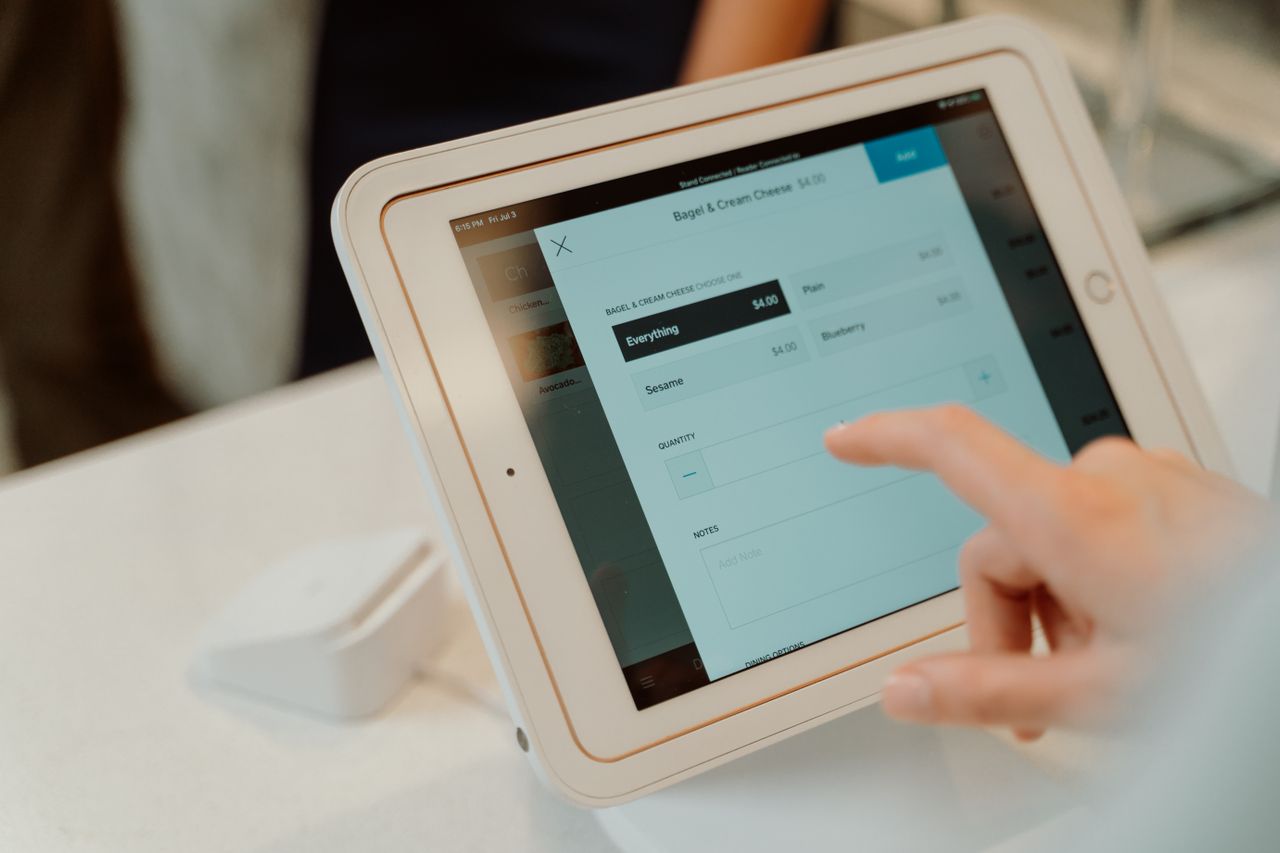
Restaurant analytics software can add another subscription to your budget, but many useful insights come from tools that cost nothing or are included with services you already use. Multi-unit operators often find themselves overwhelmed by data from POS systems, scheduling platforms, and inventory trackers. The real challenge is not collecting data; it is converting scattered numbers into actions that protect margins. At Operators Daily, we help restaurant operators cut through the noise and find practical solutions.
This guide covers 11 restaurant analytics tools and resources, from POS-integrated dashboards to open-source platforms and spreadsheet templates. The list mixes free products, free templates and calculators, and reporting bundled with commercial POS services, so compare what "free" actually covers for each option.
Key Takeaways
- Google Analytics 4's standard version is free and can track website traffic, online ordering, and marketing performance when the relevant events are configured, with limits on configuration, data retention, and some queries and reports.
- Square for Restaurants and Loyverse POS offer free POS plans with basic sales reporting; Loyverse's free sales analytics cover the last 31 days.
- 7shifts' Comp plan is free for one location with up to 15 employees, while budgeting and labor-cost features depend on paid plans.
- "Free" means different things: freemium models (free software, paid processing fees), open-source (free license but self-hosted), and free tiers (limited features or users).
- Processing fees add up quickly. At Square Free's standard U.S. in-person rate, $30,000 in eligible card payments costs $780 plus $0.15 per transaction. At 1,000 transactions, that totals $930.
- Excel and Google Sheets templates remain viable for micro-restaurants wanting complete control without software commitments.
Understanding Restaurant Data: The Foundation of Smart Management
Before selecting analytics tools, operators need clarity on what data actually matters. A useful way to think about restaurant analytics is as a chain: Data leads to Analysis, which produces Insight, which drives Action, which creates Profit. Most breakdowns happen at the insight and action stages. Having dashboards full of numbers means nothing without the ability to act on them.
Effective restaurant analytics typically covers four areas:
- Sales data: Revenue by daypart, item performance, transaction history, and payment types
- Labor data: Labor cost percentage, scheduling efficiency, overtime tracking, and staff productivity
- Inventory data: Food cost percentage, actual versus theoretical usage, and waste tracking
- Customer data: Traffic sources, online behavior, social engagement, and review sentiment
The tools below address different pieces of this puzzle. Most restaurants need a combination rather than a single platform.
Leveraging Free POS System Analytics for Restaurants
POS-integrated analytics offer the easiest starting point because the data flows automatically from every transaction. We evaluated each option based on what reporting is included free, what requires a paid plan or add-on, and the costs that come with the POS.
1. Square for Restaurants (Free Plan)
Best for: Single-location restaurants wanting basic sales reporting without subscription fees
Square for Restaurants includes basic sales reporting on its Free plan, not just a trial, with no contract commitment.
Key Features
- Live and close-of-day sales reporting
- Item and category performance breakdowns
- Labor-cost reporting on paid plans
Price
No monthly subscription fee on the Free plan. Square Free's published U.S. rate for in-person card payments is 2.6% + $0.15 per transaction. Other payment types have different rates.
Strengths
- No monthly subscription fee
- No contract commitment
- Basic sales reporting included for free
Limitations
- Labor-cost reporting is listed outside the Free plan
- Paid upgrades depend on the specific features you need
- Requires compatible hardware and a supported operating system; check compatibility for the intended Square app and payment setup
2. Toast Analytics (Included with POS)
Best for: Existing Toast customers who want reporting without additional subscriptions
Toast includes reporting with its applicable POS packages rather than offering it as a cost-free standalone analytics service. Data flows automatically from Toast terminals.
Key Features
- Real-time sales, labor, and tip reporting
- Sales breakdowns by daypart, item, and location
- Item-level sales reporting is available; recipe costing and detailed food-cost analytics depend on the subscribed Toast or xtraCHEF package
- Mobile-friendly dashboards for managers on the go
Price
Included with the applicable Toast POS package. Confirm the exact current package and pricing directly with Toast; hardware, implementation, and payment-processing costs also apply.
Strengths
- No integration work for Toast POS data
- Reporting included with the POS package
- Mobile dashboards for managers
Limitations
- Available reporting depends on connected data and subscribed products
- Recipe, product-mix, and variance analytics are documented within xtraCHEF Pro
- Hardware, implementation, and payment-processing costs affect total cost
3. Loyverse POS (Free Core Plan)
Best for: Small cafes and counter-service operations wanting a free POS with core reporting
Loyverse offers a free core POS with sales analytics, basic inventory, customer display, and kitchen display software.
Key Features
- Sales tracking and analytics dashboards; free sales analytics cover the last 31 days
- Customer-facing display support
- Basic inventory management
- Free kitchen display system
- Offline sales recording with sync when connectivity returns
Price
$0 per month for the core POS. Advanced Inventory costs $25 per store per month, Employee Management costs $25 per store per month, and unlimited sales history costs $5 per store per month. Loyverse KDS is free.
Strengths
- Free core POS, basic inventory, and KDS
- Choice of payment processor rather than a single required provider
- Multi-store management included free
Limitations
- Free sales analytics are limited to the last 31 days
- Employee management, advanced inventory, and unlimited sales history are paid add-ons
Free Analytics for Your Restaurant's Online Presence
1. Google Analytics 4 (GA4)
Best for: Every restaurant with a website or online ordering system
Google Analytics 4's standard version is free, with limits on configuration, data retention, and some queries and reports. Google Business Profile supports visibility in local search; Google says local rankings primarily depend on relevance, distance, and prominence. With appropriate event tracking and supported integrations, GA4 can measure website journeys and online conversions. Tracking across third-party ordering and reservation services depends on their integration capabilities.
Key Features
- Website traffic sources and visitor behavior
- Online ordering conversion rates, when events are configured
- Reservation widget performance, depending on integration
- Geographic data showing where guests come from
- Which marketing campaigns drive traffic
Price
Free standard version, with limits on configuration, data retention, and some queries and reports.
Strengths
- No cost for the standard version
- Shows which channels (Google search, social media, email campaigns) convert visitors to online orders or reservations
- Helps you stop spending on marketing that does not perform
Limitations
- Ecommerce and reservation measurement requires implementation and testing
- Standard properties have data-retention settings and limits on audiences, custom dimensions, key events, and exploration queries
- Initial configuration takes time; as a rough estimate, plan for at least a couple of hours
Boosting Engagement: Free Social Media Analytics for Restaurants
1. Facebook and Instagram Insights (Native Analytics)
Best for: Restaurants using social media as a primary marketing channel
Native social media analytics, available through Meta Business Suite, cost nothing and provide essential data for content strategy. Use them to identify which posts generate the most engagement, then double down on content types that work and cut what does not.
Key Features
- Post reach, engagement, and impressions
- Follower demographics and growth trends
- Best posting times based on audience activity
- Story and Reels performance metrics
Price
$0 with any Facebook Business Page or Instagram Business Account.
Strengths
- No cost
- Built into the platforms you already post on
- Content performance data to guide posting strategy
Limitations
- Native insights focus on your own accounts; competitor benchmarking and broader monitoring capabilities vary by tool and account
Essential Free Tools for Restaurant Inventory Management
1. Excel and Google Sheets Templates
Best for: Micro-restaurants, startups, or operators learning analytics fundamentals
Spreadsheet templates offer complete ownership and customization. Free templates include:
- Restaurant Weekly Sales Report: Tracks sales by category, payment type, discounts, and daily totals (Smartsheet)
- Daily Restaurant Report: A Tenzo template that brings daily operations data together for review
- Inventory Management Template: A Supy template for stock level tracking
Key Features
- Customizable layouts for any menu structure
- Sales, daily operations, and inventory templates
- Compatible with Excel and Google Sheets
Price
The templates are free. Excel for the web is free, while desktop Excel generally requires a license.
Strengths
- No software subscription required for the templates
- Fully customizable for any menu structure
- Teaches fundamental analytics concepts before investing in software
Limitations
- Offline access depends on the application and setup
- Templates may require manual data entry unless imports or automation are configured
Optimizing Labor: Analytics from Free Workforce Management Tools
Labor costs vary by restaurant model and operating conditions. The National Restaurant Association reported 2024 median labor costs, including benefits, of 36.5% of sales for full-service respondents and 31.7% for limited-service respondents. These are dated survey medians, not recommended targets. Free labor analytics tools help monitor this major cost center.
1. 7shifts (Free Plan)
Best for: Small restaurant teams wanting scheduling with basic labor tools
7shifts offers a continuing free Comp plan with basic scheduling and team communications, not just a limited trial. Budgeting and labor-cost capabilities depend on paid plans.
Key Features
- Free: basic scheduling, time clocking, team communications, availability, and time-off management
- Supported POS integrations, some of which can be available on Comp
- Paid plans: budgeting and labor-cost features
- Mobile app for shift swapping and schedule access
Price
The Comp plan is free for one location with up to 15 employees. Paid plans are priced per location; confirm current plan names, prices, and billing terms directly with 7shifts.
Strengths
- Continuing free plan for small single-location teams
- Team communication in the same platform
- Restaurant-specific scheduling workflows
Limitations
- Comp is limited to one location and 15 employees
- Budgeting and labor-cost analytics require paid plans
2. Free Labor Cost Calculators
Best for: Quick benchmarking without software commitment
Web-based calculators like Sideworks provide instant labor cost percentage calculations. Use the ratio alongside sales forecasts, service levels, productivity, and your operating budget to assess staffing.
Key Features
- Labor cost percentage calculations
- Payroll burden inputs (taxes, benefits, overtime)
- Comparison against benchmark ranges
Price
$0 with no sign-up required.
Strengths
- Instant results with no sign-up
- Useful for quick checks before investing in software
Limitations
- Provides point-in-time snapshots rather than continuous tracking
- A labor percentage alone cannot diagnose staffing adequacy
Choosing Free POS Software: A Buyer's Guide to Analytics Features
Open-source POS software can eliminate software-license fees. Card-processing charges still depend on the selected processor, and these platforms require technical setup.
1. Floreant POS (Open Source)
Best for: Tech-comfortable operators wanting to avoid software license fees
Floreant POS is free open-source POS software that has been publicly available since 2009, with a committed open-source community. Floreant distinguishes its free software from optional paid products and plugins.
Key Features
- Table service and split checks, with floor-plan functionality offered as a separate plugin
- Reporting and analytics for sales and card transactions
- Offline operation for supported core POS functions
- Embedded database; Floreant says basic installation takes under 90 seconds
Price
Free open-source software. Card-processing charges depend on the processor you select, and optional paid products and plugins are available.
Strengths
- No software-license fees
- Freedom to choose your payment processor
- Offline core POS operation
Limitations
- Requires self-hosting and technical knowledge
- No cloud backup or automatic updates
- Hosting, hardware, support, maintenance, paid extensions, and processing arrangements affect total cost
2. Odoo Point of Sale (Community Edition)
Best for: Restaurants wanting POS alongside inventory, purchasing, and invoicing apps
Odoo Community is a free, self-hosted open-source edition. Odoo Community combines several business applications, but feature availability differs from Enterprise. Comprehensive accounting and some advanced capabilities require Enterprise or additional modules.
Key Features
- Floor plan management and kitchen order routing
- Inventory management and customer loyalty tracking
- Integration with other Odoo apps, including invoicing and purchasing
- Active open-source community with extensive documentation
Price
$0 for Community edition (self-hosted).
Strengths
- No software-license fee
- Connects POS with other Odoo business apps
- Extensive community documentation
Limitations
- More complex than standalone POS systems
- Requires self-hosting and technical configuration
- Comprehensive accounting requires Enterprise
Beyond Basic Reports: Free Tools for Advanced Restaurant Insights
1. Mitti by SafetyCulture (Free Tier)
Best for: Multi-unit operators tracking operational compliance
Mitti focuses on operational execution rather than financial analytics. Financial analytics show what happened; operational analytics show whether standards are being followed across locations, helping prevent problems before they hit the P&L.
Key Features
- Digital checklists and audits for restaurant operations
- Analytics dashboard for operational performance
- Offline functionality with sync when connected
- Mobile-first design for floor managers
Price
Free for up to 10 users. Premium costs $24 per seat per month billed annually, or $29 billed monthly, excluding applicable taxes.
Strengths
- Free tier for small teams
- Operational analytics alongside checklists and audits
- Works offline
Limitations
- The free plan supports up to 10 users and five active inspection templates
- Basic analytics provide up to 30 days of data across three prebuilt dashboards
- Multi-unit operators may outgrow the free tier quickly
Implementing Free Analytics: Best Practices for Restaurant Operators
Having tools is not enough. These practices help extract actual value:
- Start with one problem. Do not try to track everything. Pick one metric (labor cost percentage, online order conversion, food waste) and build tracking around it.
- Set review cycles. Weekly reviews of key metrics prevent data from becoming stale. Monthly deep dives identify trends.
- Train your team. Analytics are only useful if managers understand the dashboards. Spend time explaining what numbers mean and what actions they should trigger.
- Verify data quality. Analytics platforms depend on the quality of data flowing into them. Garbage in means garbage out. Audit data entry practices regularly.
Layer tools strategically. Most restaurants benefit from combining:
- A POS with built-in analytics (Square, Toast, or Loyverse)
- Google Analytics for online presence
- A labor tool (7shifts or calculators for benchmarking)
- Templates for inventory if not using a dedicated system
The Bottom Line
Free analytics tools cover different parts of a restaurant's data. Square, Toast, and Loyverse provide POS sales reporting with varying free limits and paid add-ons; GA4 and native social insights cover online performance; and 7shifts and labor calculators address staffing. Spreadsheet templates, open-source POS options like Floreant and Odoo Community, and Mitti's operational dashboards fill remaining gaps for operators willing to accept more setup or narrower free limits.
Before committing, list the metrics you need most and check which ones each tool's free plan actually covers, including data-history limits, user caps, and paid add-ons. Configure and test tracking before relying on reports, and revisit your setup as you add locations or need deeper labor and food-cost analysis.
Frequently Asked Questions
What kind of data can free restaurant analytics tools collect?
Free tools can collect sales data (transaction history, item performance, revenue by daypart), labor data (scheduling, hours worked, labor cost percentage), basic inventory data (stock counts, food cost tracking), and web or social media engagement metrics. The depth varies by tool, and some metrics require paid plans or add-ons.
Are free POS systems really sufficient for detailed analytics?
For single-location restaurants, free POS plans from Square or Loyverse cover basic sales reporting. Labor reporting typically requires a paid plan or add-on: Square lists labor-cost reporting outside its Free plan, and Loyverse's employee management is a paid add-on. Operators needing advanced features like theoretical food cost or server-level performance tracking will likely need paid solutions or supplemental tools.
How can Google Analytics help a restaurant business?
With appropriate event tracking and supported integrations, Google Analytics can show where website visitors come from, which marketing campaigns drive traffic, and what percentage of visitors convert to online orders or reservations. It also shows geographic data about your audience and identifies underperforming pages. This information helps allocate marketing budgets more effectively.
What are the limitations of using only free analytics tools for restaurants?
Free tools often limit features, data history, device counts, or user numbers. They may lack integrations between systems, meaning manual data transfer. Advanced capabilities like predictive analytics, cross-location benchmarking, and automated alerts typically require paid upgrades. Data export options may also be restricted.
Can free analytics tools help with multi-location restaurant management?
Some tools support multiple locations, including Loyverse's free multi-store management, GA4, and Toast reporting included with applicable POS packages. Feature limitations often become problematic at scale, and multi-unit operators typically need paid tiers for consolidated reporting, location comparisons, and enterprise-level user management. Starting with free tools at one location before expanding is a practical approach.
Join multi-unit operators getting practical guides and no-nonsense software breakdowns across hiring, onboarding, scheduling, payroll, compliance, and what's shifting in the industry.
Free. One email a week. Unsubscribe anytime.