Best Kitchen Display Systems


Operators Daily is where multi-unit restaurant and hourly-workforce operators get smart, fast — practical guides and no-nonsense software comparisons across hiring, onboarding, scheduling, payroll, and compliance.
Popular articles
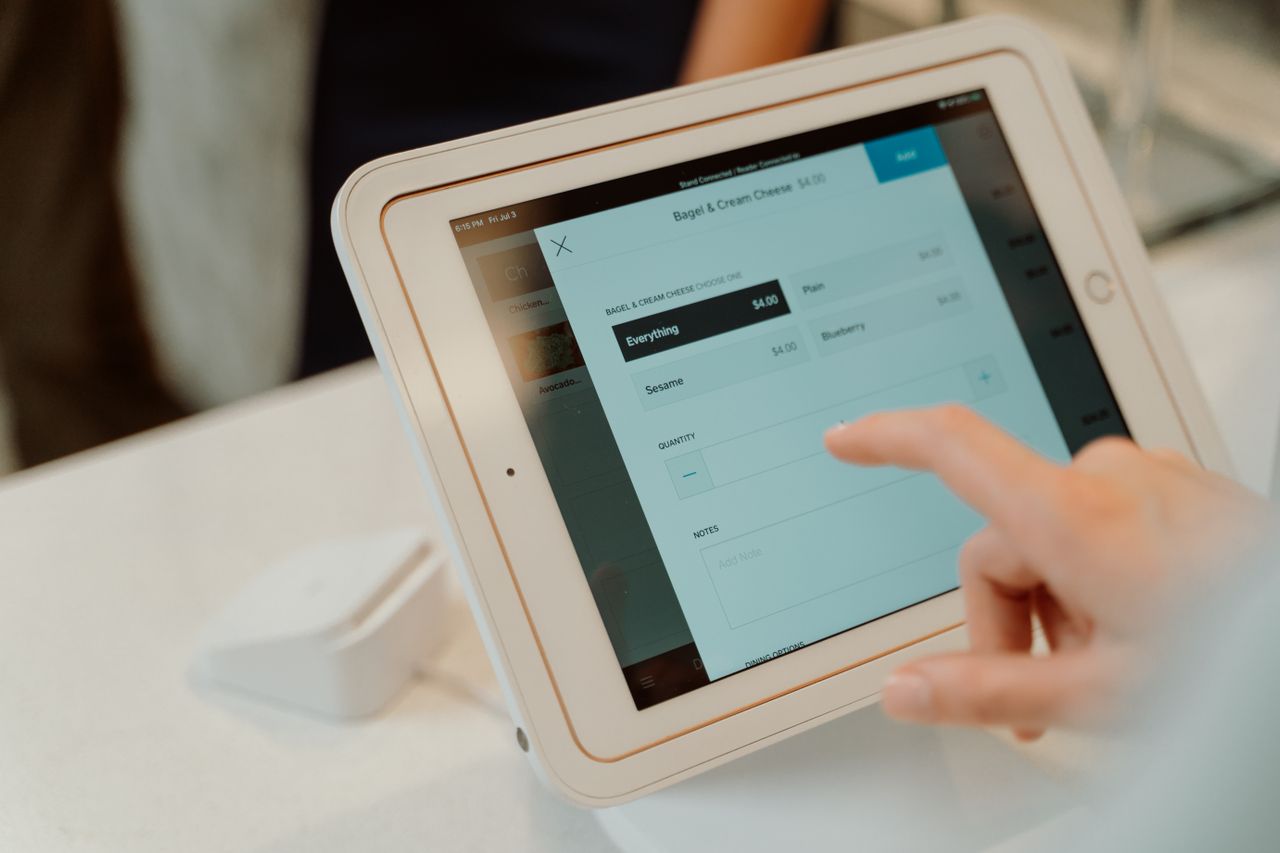
A kitchen display system is one of the few pieces of restaurant technology that changes how the back of house works on every single ticket. Instead of a printer spitting paper that gets smudged, lost, or misread during a rush, orders route digitally to the station that needs them, with timers, status colors, and prep counts visible at a glance. That shift matters most in operations juggling dine-in, takeout, and third-party delivery at the same time, where the expeditor is the bottleneck and no one has time to reconcile three tablets and a ticket rail.
The catch is that KDS pricing is rarely as simple as a single monthly number. Some vendors sell the KDS as a standalone app that runs on tablets you already own; others require a specific POS plan, proprietary hardware, or both. This guide breaks down the leading kitchen display systems for restaurants, what each one actually costs once the required POS subscription and hardware are included, and which operations each platform is built for.
Key Takeaways
- Kitchen display systems can help restaurants reduce ticket times and order-entry errors by replacing paper tickets with digital routing and real-time order information.
- Toast KDS is designed for high-volume kitchens and uses hardware tested for heat, spills, and grease; Toast does not currently publish a per-screen KDS price.
- Square KDS costs $30/month per device with Square Plus or $20/month per device with Square Premium, in addition to the required Plus or Premium plan. It is not available on Square Free.
- Fresh KDS supports more than 30 listed POS integrations, making it one of the more flexible options in this list for operators avoiding vendor lock-in.
- Compare KDS software charges separately from the POS subscription and hardware each platform requires, since the advertised KDS fee is often only part of the total.
Understanding Kitchen Display Systems: What They Are and Why They're Essential
A kitchen display system replaces handwritten or printed tickets with digital screens that show orders in real time. When a server enters an order at the point of sale or a customer places an online order, the KDS routes that ticket directly to the appropriate kitchen station.
For restaurants managing dine-in, delivery, and online orders simultaneously, paper tickets create bottlenecks. Orders get lost, handwriting becomes illegible during a rush, and expeditors struggle to coordinate timing across multiple stations. A KDS solves these problems by centralizing order management on screens that kitchen staff can read at a glance.
The core benefits include faster ticket times, fewer errors, and better communication between front-of-house and back-of-house teams. For multi-unit operators exploring restaurant technology solutions, a KDS is often among the more straightforward back-of-house investments to justify.
The 10 Best Kitchen Display Systems for Restaurants
We evaluated these platforms based on POS compatibility, hardware requirements, published pricing, kitchen-specific features, and suitability for multi-unit operations. Here are the leading options.
1. Toast KDS
Best For: Full-service restaurants prioritizing hardware durability
Price: Contact Toast for current KDS pricing. Hardware and implementation costs vary by configuration.
Toast KDS is designed for high-volume kitchens and uses hardware tested for heat, spills, and grease. Toast says its platform works with more than 164,000 restaurants, a company-reported figure.
Key Features:
- All Day View and production item counts for active kitchen orders
- Automated firing based on prep times for coursed service
- SMS and in-app alerts for order status updates
- Prep-station routing and kitchen productivity reporting
- Continues operating over the local network during internet or Toast outages
Limitations:
- Only works with Toast POS (no third-party compatibility)
- KDS pricing is not published; requires a quote
- Proprietary hardware rather than bring-your-own-device
Toast documents hardware tested for temperatures up to 120°F as well as spill and grease exposure, which is a practical consideration in kitchens where equipment takes a beating.
2. Square KDS
Best For: Restaurants already on Square Plus or Premium
Price: $30/month per device with Square Plus or $20/month per device with Square Premium, in addition to the required Plus or Premium subscription.
Square KDS runs on compatible Android devices, which can reduce upfront hardware spend for operators who already have tablets in service.
Key Features:
- Runs on compatible Android devices
- Expeditor Mode for consolidated order management
- Ticket routing to specific stations with configurable layouts
- Ticket timers, alerts, and prep reporting
Limitations:
- Not available with Square Free; requires Plus or Premium
- Tied exclusively to the Square POS ecosystem
- Per-device pricing sits on top of the plan cost
For operators already paying for Square Plus or Premium, the incremental KDS cost per screen is modest compared with proprietary-hardware systems.
3. Fresh KDS
Best For: Operators wanting POS flexibility and vendor independence
Price: $20–$27/month per screen when billed monthly, or $16–$22/month per screen when billed annually.
Fresh KDS works with more than 30 POS systems including Square, Clover, TouchBistro, and Lightspeed. For multi-unit operators with mixed technology environments, this flexibility prevents costly migrations.
Key Features:
- POS-agnostic design with 30+ listed integrations
- On The Fly mobile app showing live open orders, ticket times, and kitchen status
- Works on existing tablets running iOS 13+ or Android 7+
- Free seven-day Premium trial with no credit card required
Limitations:
- Smaller user base than established POS-native players
- Third-party integration rather than a native POS connection
- Feature depth depends on which POS it is paired with
The interface and POS flexibility make Fresh KDS a practical choice for operators seeking vendor independence.
4. Otter KDS
Best For: Delivery-heavy restaurants and ghost kitchens
Price: Otter currently publishes $15/month for KDS software, with hardware listed at $75/month to rent or $1,000 to buy. Confirm current hardware terms with Otter before committing.
Otter built its KDS for high-volume delivery operations. The system consolidates orders from DoorDash, Uber Eats, Grubhub, and other channels into a single queue.
Key Features:
- Approximately 21-inch kitchen-grade Android touch display
- Order consolidation across delivery and first-party channels
- Customizable routing and station layouts
- Integrates with Otter's broader order management platform
Limitations:
- Best suited for delivery-focused operations
- Hardware rental or purchase adds materially to the software cost
- Less relevant for dine-in operations with minimal off-premise volume
For restaurants where delivery represents a significant portion of revenue, Otter's aggregation capabilities eliminate the chaos of managing multiple tablets.
5. Lightspeed KDS
Best For: Multi-location restaurant groups
Price: Lightspeed Restaurant starts at $69/month; KDS costs an additional $30 per screen per month.
Lightspeed reports roughly 150,000 customer locations globally as of its fiscal Q4 2026 results. Lightspeed Restaurant supports multi-location management and centralized reporting, while the KDS is sold as a per-screen add-on.
Key Features:
- Multi-location management and centralized POS reporting
- Configurable kitchen workflows
- Third-party delivery platform integration
- Guided setup with a dedicated support team
Limitations:
- KDS is billed separately from the POS subscription
- Total cost rises quickly across multiple screens per location
- Tied to the Lightspeed POS ecosystem
For growing restaurant groups needing standardized operations across multiple locations, Lightspeed offers multi-unit management without enterprise-scale complexity.
6. GoTab KDS
Best For: Breweries, bars, and restaurants using QR ordering
Price: No additional software cost for operators using GoTab's Restaurant Commerce Platform; overall platform pricing varies.
GoTab built its KDS for hybrid service models where guests order via QR code, mobile app, or server.
Key Features:
- Real-time status tracking (Working, Done, Ready for Expo)
- Order batching that groups table orders placed at different times
- Coursing with manual and automatic firing options
- Flexible routing with rush and delay functions
Limitations:
- Best suited for hybrid and QR-forward service models
- Requires adopting the broader GoTab platform
- Less applicable to traditional full-service-only operations
GoTab reports $1B+ in annual transactions and says operators can achieve 25% faster table turns and 35% higher check averages. These are vendor-reported figures rather than independent findings.
7. TouchBistro KDS
Best For: iPad-based full-service restaurants
Price: Custom quote. KDS is a paid add-on to a TouchBistro POS subscription.
TouchBistro runs a restaurant-specific POS built on the iPad ecosystem, and its KDS integrates with tableside ordering and floor plan management.
Key Features:
- iPad-native interface designed for the Apple ecosystem
- Multi-channel display for dine-in, online, and takeout orders
- Integration with floor plans and table management
- Kitchen Display System Powered by Fresh, with orders appearing instantly on screen
Limitations:
- Requires iPad hardware investment
- KDS pricing is not published; requires a quote
- Limited to TouchBistro POS
For restaurants already invested in Apple hardware, TouchBistro provides tableside-to-kitchen coordination without a separate vendor relationship.
8. Oracle MICROS KDS
Best For: Enterprise hospitality (hotels, casinos, large venues)
Price: Contact Oracle for enterprise pricing.
Oracle MICROS KDS runs on industrial-grade hardware built for demanding kitchen environments. Oracle describes the Express Station 400 as fanless and ventless, IP54-rated, and resistant to humidity, grease, liquids, and temperatures up to 60°C.
Key Features:
- Fanless, ventless design minimizes dust and grease accumulation
- IP54-rated hardware built for continuous operation
- Color-coded order statuses and configurable alert thresholds
- Deep integration with Simphony Cloud POS
Limitations:
- Enterprise-focused pricing and implementation
- Longer deployment timelines than tablet-based systems
- Best suited for large-scale hospitality operations
9. Revel Systems KDS
Best For: QSR chains wanting a KDS tied to an established POS
Price: Contact Revel for current pricing.
Revel offers a kitchen display system as part of its POS platform, with kitchen and expedite views documented in its product materials.
Key Features:
- Kitchen and Expedite viewing options
- Integration with the Revel POS platform
- Order routing to kitchen stations
- Centralized configuration through the Revel back office
Limitations:
- Pricing is not published; requires a quote
- Requires commitment to the Revel POS ecosystem
- Confirm current feature availability directly with Revel, since module availability varies by configuration
10. Clover KDS
Best For: Small businesses already using Clover hardware
Price: 14-inch KDS at $799 plus $25/month per device; 24-inch KDS at $899 plus $25/month per device.
Clover offers an integrated POS, payments, and inventory system, with KDS models sized for different kitchen footprints. Both models support an optional bump-bar accessory for touch-free ticket clearing.
Key Features:
- Optional programmable bump bar reduces touchscreen interaction
- Item-level routing to kitchen stations
- Color-coded statuses and prep-time reporting
- Native integration with Clover POS and payments
Limitations:
- Requires Clover POS commitment
- Hardware purchase is required in addition to the monthly device fee
- Two screen sizes only, with limited hardware flexibility
Key Features to Look for in Kitchen Display Systems
When evaluating KDS options, prioritize these capabilities:
- Order Routing and Station Management: The system should route items to the correct prep station automatically. A grill station shouldn't see salad orders, and the dessert station shouldn't see appetizers until the main course is nearly complete.
- Offline Functionality: Internet outages happen, and outage tolerance varies by product. Toast documents that its KDS continues operating over the local network during internet or Toast outages. For other platforms, ask the vendor exactly which types of outage the system can tolerate and what functionality is lost.
- Timer Functions and Alerts: Color-coded timers help kitchen staff prioritize orders approaching service-level targets. Most systems shift ticket colors from green to yellow to red as wait times increase.
- Reporting and Analytics: Track ticket times, identify bottlenecks, and measure performance by station, daypart, or menu category. This data informs staffing decisions and menu engineering.
Seamless Integration: KDS with Your Restaurant POS System
The most critical compatibility factor is your existing POS system. Many POS vendors' native KDS products require or are designed primarily for that vendor's POS:
- Toast KDS requires Toast POS
- Square KDS requires Square for Restaurants on a Plus or Premium plan
- Lightspeed KDS requires Lightspeed Restaurant
- Fresh KDS works with more than 30 POS systems
If you're committed to a POS you like but need KDS flexibility, Fresh KDS supports more than 30 listed POS integrations, making it one of the more flexible options in this list. If you're building a new technology stack, consider whether you want tight native integration or multi-vendor flexibility.
Cost-Effective Solutions for Restaurant KDS Integration
For budget-conscious operators, the total cost of ownership includes:
- KDS software fees: Otter lists $15/month, Fresh $20–$27 per screen monthly, Square $20–$30 per device, Clover $25 per device, and Lightspeed $30 per screen
- Required POS or platform subscriptions: Square KDS requires Plus or Premium, Lightspeed KDS requires a Restaurant plan, and several others require the vendor's POS
- Hardware costs: Bring-your-own-device tablet options (Square, Fresh) versus proprietary or purchased hardware (Toast, Oracle, Clover, Otter)
- Platform processing costs: If the KDS requires a particular POS or payment platform, include that platform's processing costs when calculating total cost of ownership
Compare KDS software charges separately from the POS subscription and hardware, since the headline KDS price rarely reflects the full monthly cost. Enterprise systems like Oracle MICROS require custom pricing based on scale and configuration.
Optimizing Workflow: KDS for Multi-Unit Restaurant Operators
Multi-location operators face unique challenges:
- Standardization: Ensure consistent ticket formatting and routing across locations
- Centralized reporting: Compare performance metrics between units
- Menu management: Push menu updates to all locations simultaneously
Lightspeed and Oracle MICROS both offer centralized multi-unit management dashboards. Fresh KDS offers flexibility for groups running different POS systems across locations.
The Bottom Line
The right kitchen display system usually follows from the POS you already run. Operators on Toast, Square, Lightspeed, TouchBistro, or Clover will find the shortest path is that vendor's native KDS, since the integration is maintained by one company and support does not bounce between vendors. Operators running mixed POS environments across locations, or those unwilling to change POS platforms, are better served by a POS-agnostic option such as Fresh KDS. Delivery-heavy concepts and ghost kitchens should weigh Otter's channel consolidation, while enterprise venues with demanding kitchen conditions tend toward Oracle MICROS hardware.
Whichever direction you go, price the full configuration rather than the advertised KDS fee: the per-screen software charge, the POS plan it requires, the number of screens per location, and whether hardware is purchased, rented, or supplied from tablets you already own. Ask each vendor what happens during an internet outage and get the answer in writing. For more on evaluating and integrating restaurant technology, explore additional resources from Operators Daily.
Frequently Asked Questions
What is the primary benefit of using a kitchen display system?
A KDS can help reduce ticket times and order-entry errors by replacing paper tickets with digital routing, station-level visibility, and real-time order information. Actual results vary by kitchen layout, menu complexity, volume, and how consistently staff use the system.
Can a KDS integrate with any restaurant POS system?
No. Many POS vendors' native KDS products are designed primarily for that vendor's POS. Fresh KDS is the notable exception, integrating with 30+ systems. Check compatibility with your specific POS and version before purchasing.
Are there free kitchen display systems available?
No truly free KDS exists among the platforms reviewed here. Square KDS requires a Plus or Premium plan in addition to the per-device fee, and GoTab includes KDS at no additional software cost for operators already on its Restaurant Commerce Platform. Fresh KDS offers a free seven-day trial with no credit card required.
What hardware is needed for a typical KDS setup?
Requirements vary. Square and Fresh run on compatible Android or iOS tablets you may already own, while Toast, Oracle, Clover, and Otter use purpose-built kitchen displays that are purchased or rented from the vendor. Request current hardware quotes from each vendor, and factor in heat resistance and grease exposure in your kitchen environment.
How do KDS systems support multi-location operations?
Platforms like Lightspeed and Oracle MICROS offer centralized management dashboards for menu updates, reporting, and configuration across all locations from a single interface. Operators running different POS systems across locations may prefer a POS-agnostic option such as Fresh KDS.
Join multi-unit operators getting practical guides and no-nonsense software breakdowns across hiring, onboarding, scheduling, payroll, compliance, and what's shifting in the industry.
Free. One email a week. Unsubscribe anytime.