Best Restaurant Inventory Management Software


Operators Daily is where multi-unit restaurant and hourly-workforce operators get smart, fast — practical guides and no-nonsense software comparisons across hiring, onboarding, scheduling, payroll, and compliance.
Popular articles
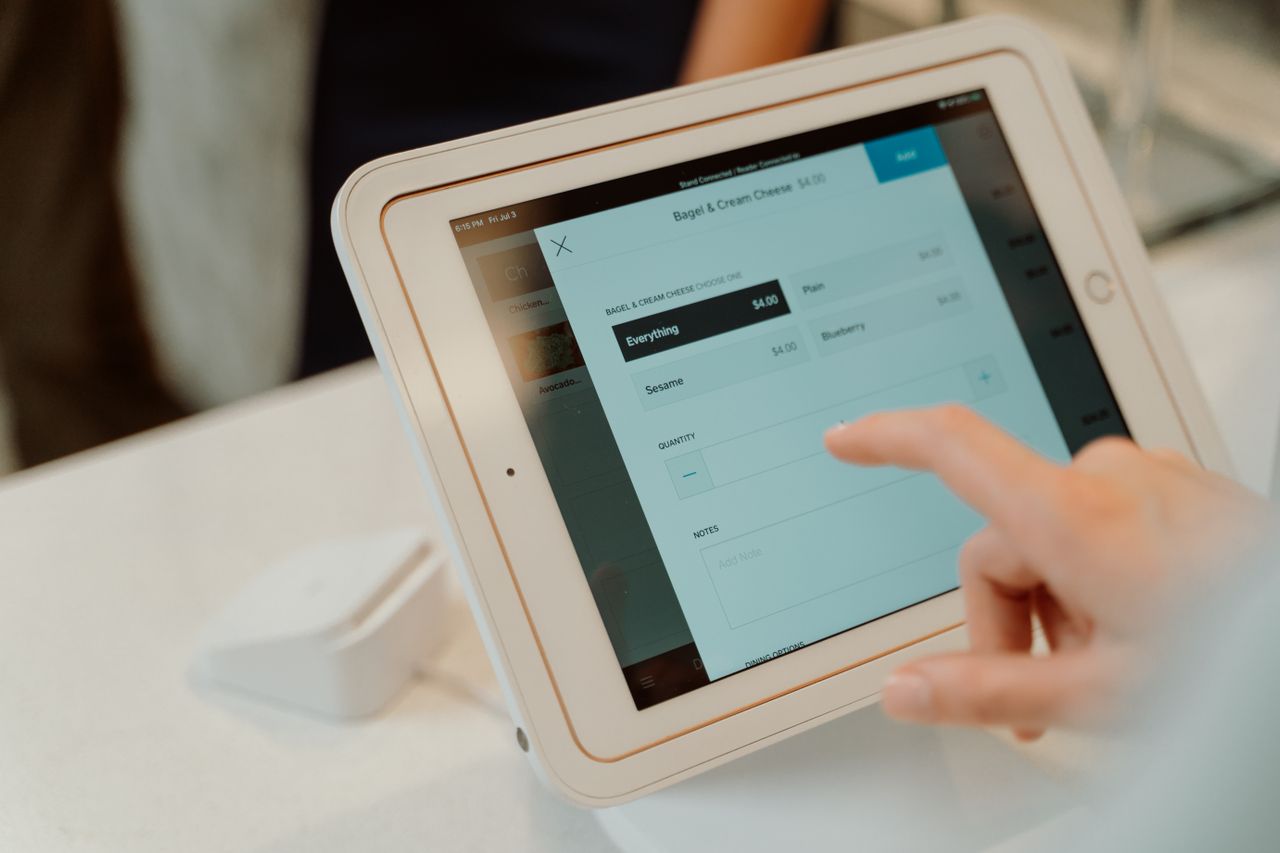
Food costs represent the second-largest expense for most restaurants, yet a significant portion of inventory vanishes before it ever generates revenue. Modern restaurant inventory management software has evolved from basic spreadsheet tracking to sophisticated platforms that integrate with POS systems, automate ordering, and provide real-time visibility across multiple locations. For multi-unit operators managing hourly workforces, selecting the right inventory system can mean the difference between tight margins and sustainable profitability.
This guide breaks down the best restaurant inventory software options, explains what features matter most for different operation sizes, and provides practical guidance for selecting and implementing the right solution for your business.
Key Takeaways
- Food and nonalcoholic beverage costs represented a median 31.0% of sales for larger full-service restaurants and 33.7% for smaller full-service restaurants in 2024, according to the National Restaurant Association. Separately, ReFED estimates the value of surplus food across the broader foodservice sector at approximately 11% of foodservice sales in 2024.
- POS-integrated solutions like Toast and Lightspeed offer real-time tracking tied to sales data, while standalone platforms like MarketMan and Restaurant365 provide deeper inventory-specific features.
- Multi-unit operators should prioritize centralized reporting, multi-location management, and integration with existing POS and accounting systems.
- Implementation timelines and payback periods vary by location count, integrations, data cleanup, modules, and training. Request a written implementation plan and business case from each vendor rather than relying on a general timeline.
- Pricing ranges from publicly advertised entry plans to custom enterprise quotes. POS base prices and dedicated inventory-module prices are often billed separately, so confirm the total configured cost with each vendor.
Understanding Restaurant Inventory Management Software: What It Is and Why You Need It
Restaurant inventory management software tracks raw ingredients, finished goods, and supplies across your operation. These platforms monitor stock levels, calculate food costs, generate purchase orders, and provide reporting on waste, variance, and profitability.
Core Functions of Restaurant Inventory Systems
At a minimum, restaurant inventory software should handle:
- Stock tracking: Monitor quantities on hand, set par levels, and receive low-stock alerts
- Recipe costing: Calculate ingredient costs for each menu item
- Purchase order generation: Create and send orders to suppliers
- Waste tracking: Log spoilage, over-portioning, and theft
- Reporting: Generate food cost percentages, variance reports, and inventory valuations
Benefits for Multi-Unit Operations
Multi-location operators face unique challenges that inventory software can address:
- Centralized visibility: View stock levels and costs across all locations from a single dashboard
- Standardized processes: Ensure consistent portioning, ordering, and waste tracking
- Consolidated purchasing: Leverage volume across locations for better supplier pricing
- Comparative analytics: Identify which locations have higher waste or food costs
Manual inventory counting, invoice entry, ordering, and reporting can take up a meaningful chunk of a manager's week. Before choosing a platform, it's worth measuring how much time your team currently spends on these tasks so you can evaluate how much automation would realistically save.
Key Features to Look for in Food Inventory Management Software for Restaurants
Not all inventory platforms offer the same capabilities. Here are the features that matter most for restaurant operations.
Recipe and Menu Costing
Recipe management links your menu items to specific ingredients with precise quantities. When ingredient prices change, your menu item costs update automatically. This enables:
- Real-time profit margin visibility by menu item
- Menu engineering decisions based on actual costs
- Identification of high-cost, low-margin items
Supplier and PO Management
Vendor management features streamline procurement:
- Store supplier catalogs with pricing and lead times
- Generate purchase orders based on par levels or forecasts
- Track price changes over time
- Compare pricing across multiple suppliers
Reporting and Analytics
Effective reporting helps operators identify problems and opportunities:
- Variance reports: Compare theoretical usage (based on sales) to actual usage
- Waste logs: Track spoilage, over-portioning, and theft
- Food cost trending: Monitor food cost percentages over time
- Inventory turnover: Identify slow-moving items tying up capital
Comparing the Best Restaurant Inventory Software Options: Features and Pricing
We evaluated leading inventory management platforms based on features, multi-location capabilities, integration ecosystems, pricing, and user feedback. Here are the top options for restaurant operators.
1. xtraCHEF by Toast
Best for: Restaurants already using or considering Toast POS that want integrated invoicing and inventory
Toast identifies xtraCHEF by Toast as its restaurant inventory solution. It combines invoice automation, recipe costing, inventory information, vendor management, ordering, and product catalogs, with data drawn from Toast POS sales. Toast reports data from 171,000 restaurant locations as of Q1 2026.
Key Features
- AI-assisted invoice scanning and digitization
- Recipe costing with cost updates tied to invoice data
- Vendor management and ordering
- Product catalogs and integration with Toast POS sales data
Price
Custom quote required for xtraCHEF. Toast POS plans are priced separately, with the base Point of Sale plan starting at $69/month per terminal.
Strengths
- Tight integration with Toast POS sales data
- Reduces manual invoice entry
- Combines invoicing, recipe costing, and vendor management in one product
- Backed by Toast's broader restaurant technology ecosystem
Limitations
- Requires commitment to the Toast ecosystem
- Pricing isn't published; requires a sales quote
- Less flexible for operators using a different POS system
2. Restaurant365
Best for: Enterprise operators and franchises needing unified accounting, inventory, and scheduling
Restaurant365 combines inventory management with accounting, purchasing, workforce management, and payroll and HR in a single platform. The company describes the system as serving more than 50,000 restaurants.
Key Features
- Combined accounting, inventory and purchasing, workforce management, and payroll/HR modules
- Real-time P&L statements by location
- Franchise-ready multi-location management
- Centralized reporting across the back office
Price
Custom quote required.
Strengths
- All-in-one back-office solution reduces the number of separate systems needed
- Real-time financial visibility
- Strong franchise management features
- Broad module coverage across accounting and operations
Limitations
- Pricing isn't published; requires a sales quote
- Broader scope requires more implementation time
- More complex than standalone inventory tools
3. MarketMan
Best for: Operators wanting best-in-class inventory features across a range of POS systems
MarketMan focuses on inventory management and integrates with a range of restaurant POS and accounting systems; buyers should verify compatibility with their specific product and version. MarketMan says customers can reduce food costs by up to 5%.
Key Features
- Recipe costing with ingredient price tracking
- Vendor management portal with automated ordering
- Waste tracking and variance reporting
- Mobile app for inventory counts
Price
Starter at $199/month, Growth at $249/month, and custom pricing for Enterprise.
Strengths
- Integrates with a range of POS systems
- Deep inventory-specific features
- Strong vendor management and ordering automation
- Published, tiered pricing
Limitations
- Requires integration setup with existing POS
- Additional cost on top of POS subscription
- Steeper learning curve than POS-native solutions
4. Lightspeed Restaurant
Best for: Hybrid concepts like breweries, bakeries, and specialty food stores
Lightspeed offers cloud POS with inventory management and hybrid capabilities for concepts that sell both prepared food and retail products. As a publicly traded company, it offers long-term stability.
Key Features
- Multi-channel inventory tracking across dine-in, takeout, and retail
- Advanced reporting and analytics dashboard
- Integrated e-commerce for retail products
- Advanced inventory available as an add-on across plans
Price
POS plans start at $69/month. Essential starts at $189/month and Premium at $399/month. Advanced inventory is available as an add-on, so operators should request the total configured price.
Strengths
- Well suited to restaurant-retail combinations
- Cloud-based with strong mobile access
- Proven company stability
- Comprehensive reporting capabilities
Limitations
- Retail-hybrid focus may include features unnecessary for pure restaurant operations
- Advanced inventory is an add-on rather than included at every tier
- Payment-processing availability and requirements vary by plan, product series, and market; confirm eligible processors and contract terms
5. BlueCart
Best for: Cost-conscious operators managing multiple vendors
BlueCart emphasizes procurement with a marketplace connecting restaurants to suppliers, offering one-click ordering and invoice reconciliation. BlueCart's own acquisition history includes its purchase of BinWise.
Key Features
- Procurement platform with an optional inventory upgrade
- One-click ordering from multiple vendors
- Invoice reconciliation with price tracking
- Price comparison across suppliers
Price
Free for basic ordering; custom quote required for inventory-management functionality.
Strengths
- Free procurement platform reduces software costs
- Supplier marketplace for ordering
- Price comparison tools
- Invoice reconciliation features
Limitations
- Stronger on procurement than inventory analytics
- May need pairing with other tools for full inventory management
- Limited reporting compared to dedicated inventory platforms
6. TouchBistro
Best for: Operators wanting mobile inventory management alongside TouchBistro POS
TouchBistro's Inventory Management is a POS add-on, with a mobile app available for both iOS and Android. Sales and menu data sync from the POS to the inventory system approximately every 15 minutes. The inventory product is currently available in the continental United States and Canada, excluding Quebec.
Key Features
- Mobile inventory app available on iOS and Android
- Recipe and modifier tracking
- Cloud-based multi-location management
- Sales and menu data sync from POS roughly every 15 minutes
Price
POS starts at $69/month per terminal; Inventory Management requires a custom quote.
Strengths
- Mobile app works on both iOS and Android
- Strong table management features on the core POS
- Recipe and modifier tracking
- Quick staff training time
Limitations
- Inventory is an add-on rather than a core POS feature
- Pricing for the inventory module isn't published
- Currently limited to the continental U.S. and Canada (excluding Quebec)
7. Upserve (by Lightspeed)
Best for: Existing Lightspeed Restaurant U-Series customers
Upserve is now Lightspeed Restaurant U-Series. Upserve Inventory supports POS-linked replenishment, real-time food costing, recipes, inventory counts, ordering, and supplier management.
Key Features
- Menu profitability analysis
- POS-integrated inventory tracking and automatic replenishment
- Vendor management and ordering
- Built-in payment processing
Price
Custom-quoted pricing through Lightspeed.
Strengths
- Tied into the broader Lightspeed U-Series ecosystem
- POS-linked replenishment and food costing
- Familiar workflow for existing Lightspeed customers
Limitations
- Pricing isn't published; requires a quote
- Best suited to businesses already on or considering Lightspeed U-Series
- Multi-location capabilities should be confirmed directly with Lightspeed
8. BevSpot
Best for: Bars, breweries, and food and beverage operations with significant beverage volume
BevSpot is designed for food and beverage inventory, with workflows that are particularly relevant for beverage-heavy operations.
Key Features
- Mobile inventory counts and bottle-level counting tools
- Pour cost analysis by drink and cocktail
- Integration with invoice systems for cost updates
- Multi-location reporting
Price
Starter costs $948 when billed annually. Standard costs $1,428 when billed annually. Food and beverage plans are priced separately.
Strengths
- Purpose-built workflows for bar and beverage counting
- Pour cost analysis by drink
- Multi-location reporting
- Invoice integration for cost updates
Limitations
- Annual billing structure may not suit every budget cycle
- Food-heavy operations should confirm the food-focused plan meets their needs
- Limited utility for restaurants without significant bar revenue
Inventory Management Software for Small Business vs. Multi-Unit Restaurants
The right inventory solution depends heavily on your operation's size and complexity.
Single-Location Needs
Independent restaurants with one location can often start with:
- Basic POS-integrated inventory (Upserve, TouchBistro)
- Free tools like spreadsheets for simple tracking
- Focus on core features: stock levels, recipe costing, basic reporting
Scaling Inventory Management with Your Business
As operations grow, inventory needs evolve:
2-5 locations: Need centralized visibility and standardized processes. Consider MarketMan or xtraCHEF by Toast.
6-20 locations: Require robust reporting, consolidated purchasing, and integration with accounting. Restaurant365 becomes more appropriate.
20+ locations: Enterprise features, including franchise management, advanced analytics, and custom integrations, become essential.
Specific Challenges for Multi-Unit Inventories
Multi-location operators face unique inventory challenges:
- Consistency: Ensuring all locations follow the same counting and ordering procedures
- Visibility: Getting a clear picture of inventory across all locations
- Transfers: Tracking inventory moved between locations
- Benchmarking: Comparing performance across locations to identify problems
Free Inventory Management Software Options: Are They Viable for Restaurants?
Some operators explore free options before investing in paid software.
Evaluating Free Software Limitations
Free inventory tools typically suffer from:
- Manual entry: No automatic syncing with POS sales data
- Limited reporting: Basic stock tracking without variance analysis or food costing
- Scalability issues: Unable to handle multiple locations or high item counts
- No integrations: Disconnected from POS, accounting, and supplier systems
When Free Tools Aren't Enough
Free tools can work for:
- Very small operations with limited menu items
- Testing inventory processes before investing in software
- Specific use cases like basic order tracking
Most restaurants outgrow free tools as their reporting, integration, and multi-location needs grow. Weigh the labor cost of manual entry against the cost of paid software for your specific operation.
Detailed Analysis of Zoho Inventory Management Software for Restaurants
Zoho Inventory is a general-purpose inventory platform that some restaurants consider due to its integration with Zoho Books accounting.
Zoho's Features for Food Service
Zoho Inventory offers:
- Multi-warehouse support for multiple locations
- Order management and fulfillment tracking
- Integration with Zoho Books and other Zoho apps
- Reporting capabilities and inventory tracking
Pricing and Scalability for Zoho Inventory
Limitation: Zoho Inventory is designed primarily for retail and e-commerce rather than restaurants. It lacks restaurant-specific features like:
- Recipe and menu costing
- POS integration for real-time inventory deduction
- Food waste tracking
- Shelf-life management
Restaurant operators are generally better served by purpose-built restaurant inventory platforms.
Beyond Inventory: How Restaurant Management Software Integrates with Inventory
Inventory management doesn't exist in isolation. It connects with other operational systems.
The Synergy of POS and Inventory
POS integration enables:
- Real-time deductions: Inventory decreases automatically as items sell
- Theoretical vs. actual: Compare what should have been used to what was actually used
- Menu item tracking: See which items drive the most inventory consumption
- Sales forecasting: Predict inventory needs based on historical sales patterns
Choosing a Unified Restaurant System
Some operators prefer all-in-one platforms that combine:
- POS
- Inventory management
- Accounting
- Scheduling and labor
- Payroll
Restaurant365 exemplifies this approach. Others prefer best-of-breed solutions with strong integrations between specialized platforms.
The Role of POS Systems in Optimizing Restaurant Inventory
Your POS system plays a critical role in inventory accuracy and efficiency.
Connecting Sales Data to Inventory
When POS and inventory systems integrate properly:
- Each sale triggers automatic inventory deductions based on recipes
- Theoretical usage can be compared to actual usage
- Variance identifies potential waste, theft, or over-portioning
- Menu engineering decisions are based on real-time cost data
Choosing a POS with Strong Inventory Tools
If selecting a new POS, consider inventory capabilities:
- Toast: Native inventory through xtraCHEF, tied to POS sales data
- Lightspeed: Solid inventory tools, especially for hybrid concepts, available as an add-on
- TouchBistro: Inventory add-on with a mobile app for iOS and Android
- Upserve: Now part of Lightspeed U-Series, with POS-linked inventory tracking
Evaluating and Selecting the Right Inventory Management Software
A systematic approach helps operators make the right choice.
Creating Your Software Shortlist
Start by identifying your requirements:
- Current POS: Does your POS have native inventory, or do you need a standalone solution?
- Location count: Single location vs. multi-unit requirements differ significantly
- Primary pain point: Invoice processing? Waste tracking? Recipe costing?
- Budget: Compare published entry-level pricing against the custom quotes required for enterprise platforms
- Integration needs: What systems must the inventory platform connect with?
Key Considerations Before Buying
Before committing:
- Request demos: See the actual interface and workflows
- Check POS compatibility: Verify integration with your specific POS version
- Understand pricing: Get clarity on per-location costs, user fees, and feature tiers, and confirm whether inventory is priced separately from your POS plan
- Review contract terms: Ask about commitment length and cancellation terms
- Ask about implementation: Request a written implementation timeline and support plan from the vendor
Operational Tips: Maximizing Your Restaurant Inventory Software Investment
Software alone doesn't reduce food costs. Success requires proper implementation and ongoing discipline.
Training Your Team for Success
Effective training should cover:
- Counting procedures: Consistent methods across all staff and locations
- Data entry standards: Proper item naming, unit conversions, and waste logging
- Reporting interpretation: Teaching managers to act on variance reports
- Accountability: Clear ownership for inventory accuracy
Continuous Improvement with Your System
After implementation:
- Regular audits: Weekly spot checks validate system accuracy
- Variance investigation: Dig into discrepancies rather than ignoring them
- Supplier negotiations: Use pricing data to negotiate better terms
- Recipe refinement: Update recipes when portion sizes or ingredients change
- Forecasting improvement: Refine par levels based on actual sales patterns
Operators who treat inventory software as an ongoing discipline rather than a one-time implementation see the strongest results.
Frequently Asked Questions
What is the average cost of restaurant inventory management software?
Pricing varies widely based on features and location count. Toast's xtraCHEF requires a custom quote, separate from Toast POS pricing. MarketMan publishes tiered pricing at $199/month (Starter) and $249/month (Growth), with custom Enterprise pricing. Lightspeed Restaurant POS plans start at $69/month, with advanced inventory available as an add-on. Enterprise all-in-one platforms like Restaurant365 require a custom quote based on modules and location count. Always confirm whether inventory functionality is included in a POS price or billed as a separate add-on.
Can free inventory management software adequately support a multi-unit restaurant?
Free tools rarely meet multi-unit needs. They typically lack centralized reporting, multi-location visibility, POS integration, and the automation features that make inventory management efficient at scale. Weigh the labor cost of manual processes against the cost of paid software for your situation. Free options may work for testing inventory processes at a single location before investing in a scalable solution.
How does inventory software integrate with a restaurant's POS system?
Integration typically works through APIs or direct database connections. When a menu item sells, the POS sends that information to the inventory system, which deducts the associated ingredients based on the item's recipe. This enables real-time stock tracking and theoretical vs. actual usage comparisons. POS-native solutions like Toast's xtraCHEF offer close integration, while standalone platforms like MarketMan connect with multiple POS systems through configured integrations.
What are the most crucial features for multi-unit restaurant inventory management?
Multi-unit operators should prioritize: centralized dashboards showing all locations, standardized recipe and procedure management, consolidated purchasing capabilities, comparative reporting across locations, and role-based access controls. The ability to identify variance and performance differences between locations helps operators pinpoint problems quickly. Integration with accounting systems also becomes more important as location count grows.
How often should inventory be taken in a restaurant using software?
Most restaurants conduct full inventory counts weekly, with high-value items like proteins and alcohol counted more frequently (sometimes daily). Software can reduce count frequency by tracking theoretical inventory based on sales. However, regular physical counts remain essential to identify variance from theft, waste, or data entry errors. The right frequency depends on your food cost targets, shrinkage history, and operational capacity for counting.
Join multi-unit operators getting practical guides and no-nonsense software breakdowns across hiring, onboarding, scheduling, payroll, compliance, and what's shifting in the industry.
Free. One email a week. Unsubscribe anytime.