Best Restaurant Software Under $50 a Month


Operators Daily is where multi-unit restaurant and hourly-workforce operators get smart, fast — practical guides and no-nonsense software comparisons across hiring, onboarding, scheduling, payroll, and compliance.
Popular articles
Running a restaurant on tight margins means every dollar counts, and software expenses can quietly drain your budget if you are not careful. The good news: you can find software options in several categories for under $50 a month. The challenge is separating genuinely affordable options from those with hidden costs that surface later.
This guide breaks down 12 restaurant software solutions across POS systems, scheduling tools, online ordering platforms, and reservation management. Each option offers core functionality within or near a $50/month budget, though processing fees, add-ons, and plan limits affect the total cost. For more detailed comparisons and pricing breakdowns, explore our software comparison reviews covering the full restaurant technology landscape.
Key Takeaways
- Processing fees can cost more than software subscriptions. Compare the total of subscription and processing costs at your actual card volume rather than the advertised software price alone.
- Small restaurants frequently overpay for features they never use. Focus on core functionality before considering advanced tools.
- Month-to-month contracts give you more flexibility. Watch for multi-year agreements and early termination fees.
- Category-specific tools (scheduling, ordering, reservations) can be more cost-effective than all-in-one solutions at the sub-$50 price point.
- Total cost of ownership varies widely depending on processing rates, hardware, add-ons, and contract terms.
Understanding Your Restaurant Software Needs: Beyond the Price Tag
Before comparing specific platforms, operators need to understand what drives real costs in restaurant software. The monthly subscription fee you see advertised rarely tells the complete story.
What actually determines your software costs:
- Processing fees: Payment processing rates vary by provider and plan. For example, Square's Free plan charges 2.6% + 15¢ for in-person card payments, which on $25,000 in monthly card volume comes to $650 plus the per-transaction fees.
- Contract terms: Some "free" systems lock you into multi-year agreements with substantial early termination fees.
- Hardware requirements: Proprietary hardware can add significant upfront costs, while bring-your-own-device systems let you use existing iPads or tablets.
- Feature bloat: Small restaurants commonly pay for complex features like advanced inventory forecasting or enterprise reporting they never touch.
Entry-level plans for small restaurants range from free tiers to modest monthly subscriptions, while higher-priced plans often target multi-unit operations with different requirements.
Questions to answer before choosing software:
- What's your average monthly card transaction volume?
- Do you need table management, or is counter service your model?
- How many employees need scheduling?
- Is online ordering a revenue priority or a nice-to-have?
- Can you use existing devices, or do you need new hardware?
Unpacking POS Systems Under $50: Free vs. Paid Options for Your Restaurant
Point-of-sale systems anchor your restaurant technology stack. They handle transactions, track sales, and often connect to other tools you use daily.
Evaluating 'Free' POS Systems: What's the Catch?
Free POS software exists, and some options genuinely work for small restaurants. The catch usually comes in one of three forms:
- Higher processing fees: Free software often requires you to use the vendor's payment processor, and its rates may be higher than those available elsewhere.
- Feature limitations: Basic inventory, limited reporting, or caps on users/locations.
- Upselling pressure: The free tier functions as a gateway to paid features you may eventually need.
Total monthly costs, including software and processing, can vary significantly between systems at the same sales volume, so calculate both before choosing.
Essential POS Features for Multi-Unit Operators
If you manage multiple locations, certain features become non-negotiable:
- Centralized reporting: View all locations from one dashboard
- Menu management: Push updates across locations simultaneously
- Employee permissions: Control access levels by role and location
- Offline functionality: Continue operations during internet outages
- Integration capability: Connect to your scheduling, accounting, and inventory tools
Top Affordable POS Systems for Small and Multi-Unit Restaurants
We evaluated each POS based on software price, processing costs, hardware requirements, contract terms, and restaurant features. Here are the options for budget-conscious operators.
1. Square for Restaurants
Best for: Small restaurants wanting published pricing with no contracts
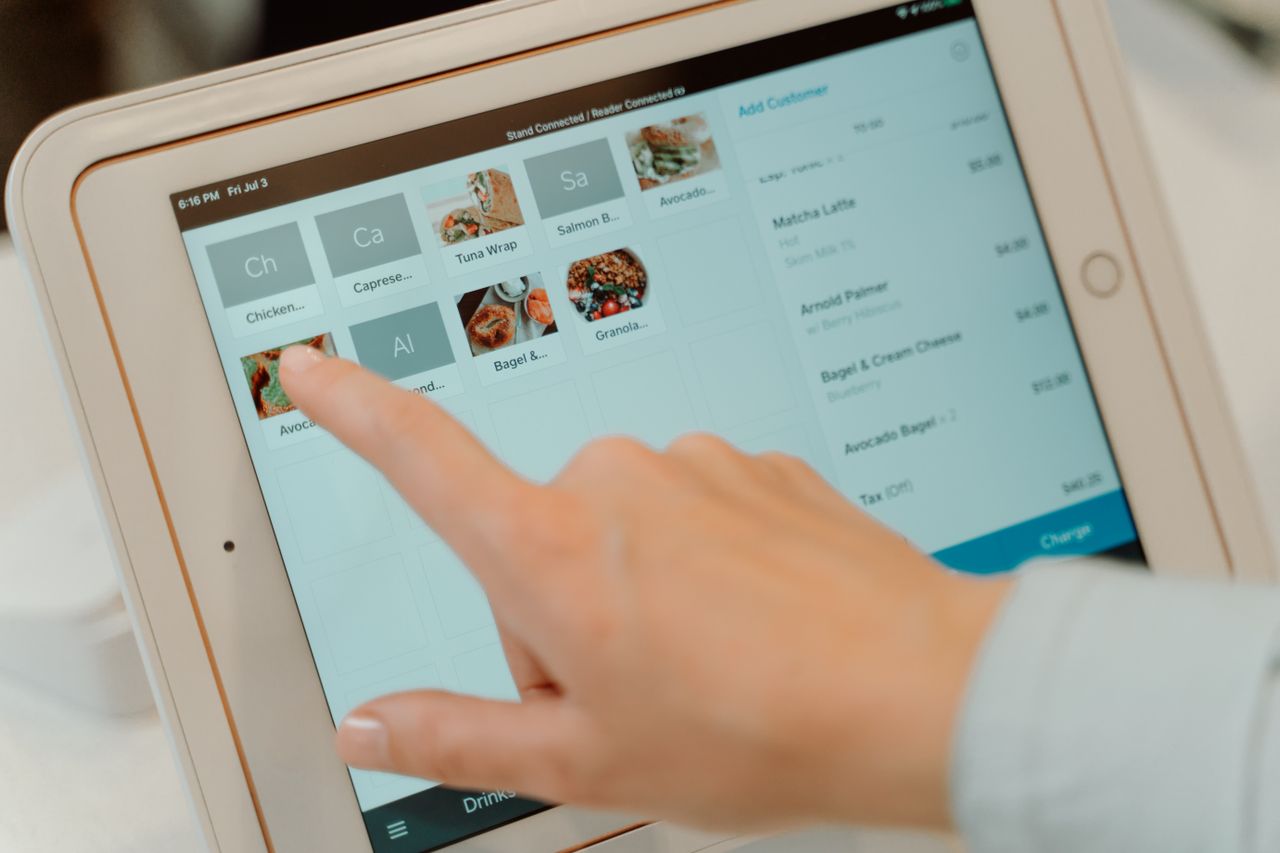
Square for Restaurants offers a free plan with no monthly software fee. You get menu modifiers and real-time reporting accessible from your phone. The 2.6% + 15¢ in-person processing rate on the Free plan is higher than on Square's paid plans, but the absence of monthly fees and contracts can balance this for lower-volume operations.
Key Features
- Free POS software with no monthly fee
- Menu modifiers and real-time reporting
- Staff management and shift scheduling on Plus
- Integration marketplace
Price
Free, $49/month Plus, or $149/month Premium per location. In-person processing costs 2.6% + 15¢ on Free, 2.5% + 15¢ on Plus, and 2.4% + 15¢ on Premium.
Strengths
- Month-to-month commitment, cancel anytime
- Works on your existing iPad or Square hardware
- Extensive integration marketplace
Limitations
- Processing fees add up at higher volumes; at $25,000/month in card sales on the Free plan, in-person processing alone is $650 plus 15¢ per transaction
- Staff management and shift scheduling are listed under Plus
- Confirm which table management and floor plan features are included in your plan
2. Timeline Restaurants POS
Best for: Operators wanting to avoid software subscription fees
Timeline Restaurants POS is a Windows-based system that runs entirely offline from a local SQLite database. You bring your own payment processor, which means you can negotiate rates independently.
Key Features
- Table management and modifiers
- Recipe costing
- End-of-day reports
- U.S. sales tax engine
Price
$0/month, with no transaction fees from the POS vendor. Payment processing is billed by your chosen processor.
Strengths
- No software fee or transaction cut from the POS vendor
- Full offline operation (no internet required)
- Freedom to choose your own payment processor
Limitations
- Requires Windows hardware
- Less brand recognition means fewer third-party integrations
- Processing costs depend on the merchant account you arrange
3. WARO
Best for: Budget-conscious operators who want features without tier gating
WARO says its Pro plan includes its full feature set without pushing you toward expensive upgrades. The bring-your-own payment processor model lets you shop for competitive rates.
Key Features
- Full feature set on the Pro plan, according to WARO
- Inventory management on Pro
- Bring-your-own payment processor
- BYO iPad architecture
Price
Strengths
- No feature gating at the Pro level, according to WARO
- Month-to-month, no early termination fees
- BYO iPad architecture keeps hardware costs low
Limitations
- Newer platform with a less established track record
- Processing costs depend on the processor you choose
4. Loyverse
Best for: Cafés and small restaurants needing a global solution
Loyverse reports more than 350,000 active merchants across over 170 countries, with support for 30+ languages. The free POS works on iOS or Android tablets.
Key Features
- Free POS with essential inventory
- Built-in customer loyalty program
- Kitchen display and customer display
- Multi-store management
Price
Free core POS. Advanced inventory and employee management each cost $25/month per store.
Strengths
- No proprietary hardware requirements
- Free loyalty program included
- Multi-store management included free
Limitations
- Advanced inventory ($25/month) and employee management ($25/month) are separate add-ons per store
- Free sales analytics cover the last 31 days
5. Petpooja
Best for: Operators with significant delivery and off-premise business
Petpooja offers fast billing and KOT (kitchen order ticket) management, with integrations with delivery platforms for operations with significant off-premise business.
Key Features
- Fast billing
- KOT management
- Delivery platform integrations
Price
Starting at approximately $50/month; pricing varies by region, so confirm current pricing directly with Petpooja.
Strengths
- Designed for quick staff onboarding
- Delivery app integrations
- KOT workflow for kitchen communication
Limitations
- At the upper edge of the $50 budget
- Pricing varies by region
Affordable Scheduling and Team Management Tools
A POS handles transactions, but running a restaurant requires managing people. We evaluated each scheduling tool based on free-plan limits, per-location or per-user pricing, and restaurant-specific features.
1. Homebase
Best for: Small single-location teams wanting a free scheduling plan
Homebase provides free scheduling for teams up to 20 employees at a single location. The free tier includes a time clock, basic hiring tools, and POS integration. Homebase reports that more than 100,000 small businesses use the platform.
Key Features
- Free scheduling for up to 20 employees at one location
- Time clock
- Basic hiring and onboarding tools
- POS integrations, including Square, Toast, and Clover
Price
Free Basic plan for up to 20 employees at one location; paid plans are priced per location. Confirm current paid-plan pricing directly with Homebase.
Strengths
- Free scheduling plan for small teams
- Includes hiring and onboarding tools in free tier
- Integrates with Square, Toast, Clover, and other POS systems
Limitations
- Free tier limited to one location and 20 employees
- Multi-location operators need paid plans
2. 7shifts
Best for: Restaurants wanting industry-specific scheduling features
7shifts is built specifically for restaurants. Features include shift swaps, labor cost forecasting, and clopening prevention alerts. 7shifts reports serving more than 1 million restaurant workers.
Key Features
- Shift swaps
- Labor cost forecasting
- Clopening prevention alerts
- Restaurant POS integrations
Price
Free Comp plan; paid plans are priced per location, starting at $39.99/month. Confirm current pricing directly with 7shifts.
Strengths
- Restaurant-specific compliance features
- Alerts that help managers avoid overtime violations
- Integrates with major restaurant POS systems
Limitations
- Free plan is limited
- Full features require a paid tier
3. Connecteam
Best for: Teams of up to 30 employees wanting flat-rate pricing
Connecteam charges a fixed price for the first 30 users on its paid hubs, which makes budgeting straightforward. Plans include a GPS time clock, geofencing, task management, and training modules.
Key Features
- GPS time clock and geofencing
- Task management
- Training modules
- Mobile-first design for deskless workers
Price
Fixed price for the first 30 users, with entry plans starting at $29/month. Additional users beyond 30 cost from $0.80 per user per month on the Basic plan with yearly billing. Confirm current base pricing directly with Connecteam.
Strengths
- Predictable costs for teams of up to 30
- Mobile-first design for deskless workers
- Includes training and operations tools
Limitations
- Less restaurant-specific than 7shifts
- Per-user charges apply beyond 30 users
Affordable Online Ordering Systems: Expanding Reach for Your Restaurant
Third-party delivery platforms in the U.S. commonly charge 15% to 30% commission per delivery order, depending on the platform and plan. Direct ordering systems let you keep more revenue while building customer relationships.
1. GloriaFood
Best for: Restaurants wanting free online ordering
GloriaFood offers commission-free online ordering with no setup fees and no monthly fees for its core product. Features include QR code ordering, table reservations, and mobile apps for iOS and Android.
Key Features
- Commission-free online ordering
- QR code ordering
- Table reservations
- Mobile apps for iOS and Android
Price
Free core online ordering with no commission; optional paid modules are available for advanced features.
Strengths
- Free core product
- No commission on orders
- Optional paid modules for advanced features
Limitations
- Some advanced features (branded mobile app, payment processing) require paid upgrades
2. BentoBox
Best for: Restaurants needing a professional website with ordering
BentoBox combines restaurant websites with commission-free online ordering. Additional features include automated upsell suggestions at checkout, smart pre-ordering for catering, and marketing tools.
Key Features
- Restaurant website builder
- Commission-free online ordering
- Upsell suggestions and catering pre-ordering
- Loyalty programs and email/SMS campaigns
Price
Contact BentoBox for current pricing; confirm whether your required features fit within the $50/month budget.
Strengths
- Modern design capabilities
- Time-saving website management
- Marketing tools alongside ordering
Limitations
- Pricing and fees should be confirmed directly with BentoBox
- Additional fees can apply at higher volume
3. myRestro
Best for: Operators who prefer one-time costs over subscriptions
myRestro takes a different approach with lifetime access through a one-time payment. The platform combines POS functionality with online ordering and marketing tools. It is aimed at small restaurants, cafés, bakeries, and food trucks.
Key Features
- POS functionality
- Branded website with online ordering
- Built-in marketing tools (email, SMS, coupons)
Price
One-time payment, no monthly subscription. A 10% commission on orders applies after the free trial period.
Strengths
- One-time payment instead of a monthly software subscription
- Includes branded website with online ordering
- Built-in marketing tools
Limitations
- Newer platform with a limited track record
- 10% commission on orders after the free trial creates an ongoing per-order cost
Free Reservation Management
Reservation tools help restaurants manage bookings without adding per-cover costs.
1. TableAgent
Best for: Restaurants seeking reservation management without a subscription or per-cover fee for core features
TableAgent provides core reservations with an online booking widget, and optional payment collection for deposits. The cloud-based platform reports serving 18,000+ restaurants across 100+ countries.
Key Features
- Online booking widget
- Optional deposit and prepayment collection
- Cloud-based platform hosted on AWS
Price
Free core reservations with no monthly or per-cover fees. Optional services cost extra. TableAgent's pricing page lists online payments at $29/month, SMS through Premium starting at $29/month, and private unlisted accounts at $30/month.
Strengths
- No subscription or per-cover fee for core reservations
- Upfront payment collection available
- Cloud-based with no installation
Limitations
- SMS, online payments, and private unlisted accounts cost extra
- Fewer features than paid alternatives like OpenTable or Resy; best for operations with straightforward reservation needs
Beyond POS: Affordable Restaurant Management Software Essentials
Scheduling, time tracking, and team communication tools are often among the first tools labor-intensive operations adopt.
Key Management Features for Hourly Workforces
When evaluating team management software, prioritize these capabilities:
- Drag-and-drop scheduling: Quick shift creation and modification
- Shift swap functionality: Let employees trade shifts without manager intervention
- Labor cost forecasting: See projected costs before publishing schedules
- Compliance alerts: Warnings for overtime, clopening violations, and break requirements
- Mobile access: Staff can view schedules and clock in from their phones
For more detailed guidance on selecting these tools, our workforce management software selection guide covers evaluation criteria specific to restaurant operations.
Building Your Own vs. Using Third-Party Platforms
Direct ordering through platforms like GloriaFood or BentoBox can cost less than third-party marketplace commissions as your order volume grows. The tradeoff: third-party platforms provide built-in customer acquisition, while direct ordering requires you to drive your own traffic.
Cost-Effective Inventory Management for Restaurants: Keeping Track Without Breaking the Bank
Inventory management directly impacts food costs, which are among a restaurant's largest expenses. However, dedicated inventory software often exceeds the $50/month threshold for small operations.
Budget Approaches to Inventory Tracking
Several POS systems under $50 include basic inventory features:
- Loyverse: Free essential inventory, $25/month advanced inventory add-on
- Square: Item library on all plans; confirm inventory tracking features for your plan
- WARO: Inventory management included at $30/month
For operations not ready for dedicated inventory software, spreadsheet-based tracking or built-in POS inventory tools can bridge the gap until volume justifies specialized solutions.
Integrating Inventory with Your POS System
When your POS and inventory systems communicate, you gain:
- Real-time stock deductions with each sale
- Automatic low-stock alerts
- Recipe costing that updates with supplier price changes
- Waste tracking and variance reports
Check your POS vendor's integration marketplace before purchasing separate inventory software. The built-in solution may be sufficient for your current scale.
Selecting Restaurant Onboarding Software for Hourly Teams: A Budget-Friendly Guide
High turnover in restaurants makes efficient onboarding essential. The faster new hires become productive, the lower your training costs.
The ROI of Efficient Hourly Team Onboarding
Effective onboarding software can pay for itself through:
- Reduced paperwork processing time
- Faster time-to-productivity for new hires
- Better compliance documentation
- Lower early-stage turnover
Several scheduling platforms include basic onboarding features. Homebase offers hiring and onboarding tools in its free tier, while 7shifts provides onboarding functionality in paid plans.
For a comprehensive look at specialized options, visit our restaurant onboarding software guide.
Leveraging Operators Daily for Smart Software Choices Under $50
Finding the right software combination requires ongoing research as your operation evolves. Pricing changes, new features launch, and your needs shift as you grow.
How Operators Daily Simplifies Software Selection
Operators Daily publishes practical guides, buyer's guides, and software comparisons specifically for restaurant owners and managers. Resources include:
- Detailed pricing analyses like our Homebase pricing breakdown
- Category-specific software guides
- Operational tips for managing hourly teams efficiently
Accessing Comprehensive Guides for Budget-Conscious Operators
When evaluating software under $50/month, remember to calculate total cost of ownership including processing fees, hardware, and contract terms. The lowest advertised price rarely equals the lowest actual cost.
The Bottom Line
Building a restaurant tech stack under $50 a month per category is possible, but the right mix depends on your service model and volume. Square, Loyverse, Timeline, and WARO cover POS needs with different trade-offs between processing, hardware, and add-ons, while Homebase, 7shifts, and Connecteam address scheduling at different team sizes. GloriaFood, BentoBox, and myRestro support direct ordering, and TableAgent handles core reservations without per-cover fees.
Before committing, calculate your monthly cost at your actual card volume, including processing, add-ons, and hardware. Confirm contract terms and plan limits, start with the core features you need now, and revisit your stack as your locations, team, or order volume grow.
Frequently Asked Questions
What core features should I prioritize in restaurant software under $50/month?
Focus on the essentials first: reliable payment processing, basic inventory tracking, and employee scheduling if you manage hourly staff. Avoid paying for advanced features like AI forecasting or enterprise analytics that serve larger operations. For many small restaurants, a free-tier POS combined with a free scheduling tool can cover core operational needs.
Can 'free' POS systems truly meet the needs of a growing multi-unit restaurant?
Free tiers work well for single locations with straightforward operations. However, multi-unit restaurants typically need centralized reporting, multi-location menu management, and role-based permissions that may require paid tiers or add-ons. Budget for per-location costs as you scale beyond your first unit.
How can I integrate different affordable software solutions for a seamless workflow?
Check integration marketplaces before purchasing. Square, for example, connects to Homebase for scheduling and various accounting platforms. Prioritize systems that share data automatically over those requiring manual entry. Many modern restaurant software platforms offer APIs or pre-built integrations with common tools.
What are the most common hidden costs associated with 'budget-friendly' restaurant software?
Watch for processing fees that are higher than quotes you can get elsewhere, long-term contracts with early termination penalties, proprietary hardware requirements, add-on modules, and per-transaction fees on top of percentage-based processing. Always calculate your expected monthly cost at your actual transaction volume.
How often should I re-evaluate my restaurant's software stack to ensure cost-effectiveness?
Review your software costs quarterly and conduct a thorough evaluation annually. As your transaction volume grows, the math changes. A system that was cheapest at $10,000/month in sales may become expensive at $30,000/month due to processing fee structures. Also reassess when your needs change, such as adding locations, launching delivery, or expanding your team.
Join multi-unit operators getting practical guides and no-nonsense software breakdowns across hiring, onboarding, scheduling, payroll, compliance, and what's shifting in the industry.
Free. One email a week. Unsubscribe anytime.